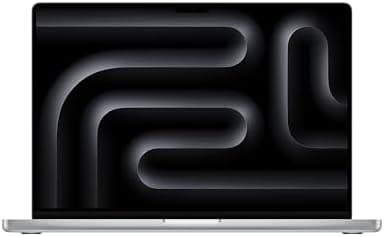
Apple MacBook Air 13-inch M5 Review: The Perfect Everyday Laptop Gets Even Better
Apple's 2026 MacBook Air M5 refines the perfect everyday laptop with doubled base storage, Wi-Fi 7, and meaningful performance gains that make it the smartest purchase for most users.
When Apple refreshed the MacBook Air lineup in March 2026, the tech world let out a collective sigh that sounded suspiciously like, "Wait, didn't they just do this?" The M4 MacBook Air had landed only a year prior, and it was already so good that many wondered what else Apple could possibly add. Turns out, the answer is: enough meaningful improvements to make the M5 MacBook Air the new default recommendation for anyone asking, "Which laptop should I buy?" The 13-inch M5 MacBook Air does not reinvent the wheel. It polishes it, adds Wi-Fi 7, doubles the base storage, and quietly slips in performance gains that add up over time. At a starting price of $1,099, it is $100 more than the M4's launch price, but street prices have already dropped to around $899 during sales, making this one of the best values in portable computing.
Design and Build Quality
If you have seen a MacBook Air from the last three years, you have seen the M5 MacBook Air. Apple has not touched the exterior design, and that is a good thing. The wedge-shaped aluminum unibody remains one of the most elegant and practical laptop designs on the market. It measures 11.97 inches wide, 8.46 inches deep, and tapers from 0.61 inches down to 0.16 inches at the front edge. Weight stays locked at 2.7 pounds for the 13-inch model, which is light enough to toss into a backpack and forget about until you need it.
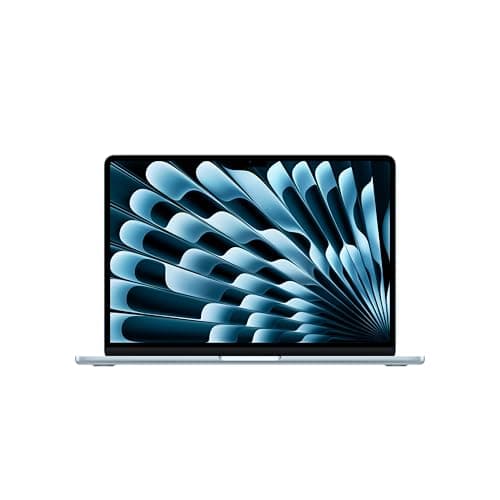
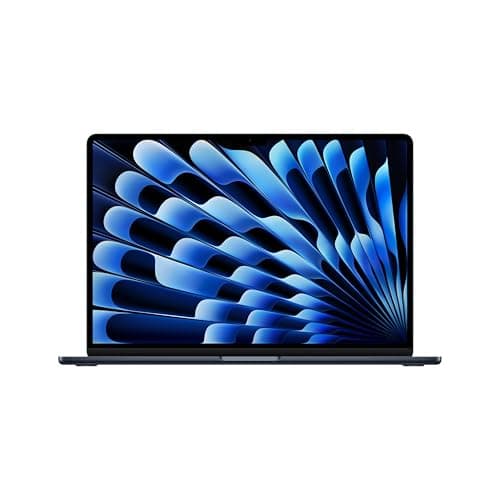
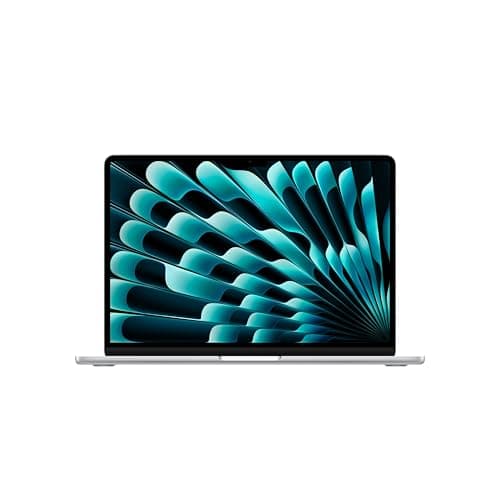
The four color options return with a new twist. Sky Blue replaces the older Midnight and Starlight as the headline color for 2026, joined by Silver, Starlight, and a darker Midnight Black. Sky Blue is subtle in person, reading as a soft metallic gray in dim light and shifting to a faint blue under direct sunlight. It is the kind of color that photographs better than it looks in most rooms, which may explain why Apple pushed it so hard in marketing materials.
Build quality remains exceptional. The aluminum chassis feels rigid, with no flex in the keyboard deck or display lid. The hinge opens smoothly with one finger and stays put at any angle. Apple has not added any new ports, which remains both a strength and a limitation. You get two Thunderbolt 4 USB-C ports on the left side, a MagSafe 3 charging port, and a 3.5mm headphone jack on the right. That is it. No HDMI, no SD card slot, no USB-A. For most users in 2026, this is fine. For photographers or anyone with legacy peripherals, you will need dongles.
Display
The 13.6-inch Liquid Retina display carries over unchanged from the M4 generation, and that is perfectly acceptable. It is a 2560-by-1664 IPS panel with a pixel density of 224 pixels per inch, support for one billion colors, wide P3 color gamut coverage, and True Tone technology. Brightness tops out at 500 nits, which is sufficient for indoor use and shaded outdoor environments but falls short of the 600 to 1000 nits you will find on mini-LED or OLED competitors.
What the MacBook Air display lacks in peak brightness, it makes up for in color accuracy and consistency. Out of the box, the panel covers essentially 100 percent of the DCI-P3 color space, making it an excellent choice for photo editing, video work, and any creative task where color fidelity matters. The 60Hz refresh rate is the biggest sticking point. In a market where 90Hz and 120Hz panels are becoming standard even on $600 Windows laptops, the MacBook Air's 60Hz screen feels dated during scrolling and window animations. Apple has reserved ProMotion for the MacBook Pro line, and that segmentation remains frustrating.
The notch at the top of the display still houses the upgraded 12MP Center Stage camera. It is unobtrusive in daily use, and most applications handle it gracefully by moving menu bars around it. Center Stage uses machine learning to keep you framed in the center of video calls as you move around, and it works well on Zoom, Teams, and FaceTime. Image quality is noticeably better than the 720p cameras found on most Windows laptops, though it still struggles with backlighting and low light.
Performance and the M5 Chip
The M5 chip is the headliner here, even if the day-to-day experience will feel identical to the M4 for most users. Apple has moved from a 4-performance-core and 6-efficiency-core layout to a 4-super-core and 6-efficiency-core design. The marketing language changed, but the underlying architecture is an evolution rather than a revolution. The base 13-inch model ships with an 8-core GPU, while the step-up configuration gets a 10-core GPU. Both options include the 16-core Neural Engine, hardware-accelerated ray tracing, and a new Neural Accelerator inside each GPU core.
Memory bandwidth jumps from 120 GB/s on the M4 to 153 GB/s on the M5, a 28 percent increase that pays dividends in graphics-intensive workloads and AI model processing. The base configuration now includes 16GB of unified memory, up from 8GB on the M1 and M2 generations and unchanged from the M4. You can configure up to 32GB of RAM, an increase from the M4's 24GB maximum. Storage starts at 512GB and can be expanded to 4TB, double the previous 2TB ceiling.
In synthetic benchmarks, the gains are clear. Cinebench 2024 multi-core scores come in around 926 for the 13-inch M5, compared to roughly 824 for the M4. Geekbench 6 multi-core lands at about 16,890 versus 15,049 for the M4. Those are solid year-over-year improvements in the 10 to 12 percent range. Single-core performance sees a smaller bump, which makes sense given the similar core architectures.
Where the M5 really pulls ahead is in sustained workloads and AI acceleration. Local large language models run up to four times faster on the M5 compared to the M4, thanks to the improved Neural Engine and additional Neural Accelerators. Video editing in Final Cut Pro sees modest improvements in render times, and the faster SSD helps with 4K timeline scrubbing. For general productivity, web browsing, document editing, and light photo work, the difference between an M4 and M5 MacBook Air is nearly impossible to notice. Both feel instantaneous for those tasks.
Keyboard, Trackpad, and Audio
The Magic Keyboard remains one of the best laptop keyboards available. It uses a scissor mechanism with 1mm of travel, offering a precise and quiet typing experience. The keys are backlit with adjustable brightness, and the full-size function row includes dedicated keys for Spotlight, Dictation, Do Not Disturb, and media controls. Touch ID is integrated into the power button and works flawlessly for unlocking the machine, approving purchases, and autofilling passwords.
The Force Touch trackpad is massive for a 13-inch laptop, measuring nearly 5 inches diagonally. It uses haptic feedback to simulate clicks, and the precision is unmatched in the industry. Gestures are smooth and responsive, palm rejection is perfect, and the surface feels silky under your fingers.
Audio quality from the four-speaker setup is surprisingly robust. The speakers support Dolby Atmos spatial audio and produce a wide soundstage with decent bass for a laptop this thin. They will not replace a dedicated Bluetooth speaker, but for video calls, podcasts, and casual music listening, they are excellent. The three-mic array with directional beamforming captures voice clearly for calls and voice commands.
Battery Life and Charging
Apple claims up to 15 hours of wireless web browsing and 18 hours of video playback on the 13-inch M5 MacBook Air. In real-world mixed usage, you can expect around 14 to 16 hours of screen-on time before needing to hunt for an outlet. A 4K video playback loop test conducted by Mashable returned 17 hours and 40 minutes, slightly below Apple's claim but still exceptional. For document and spreadsheet work, the machine can stretch across two workdays without charging.
The included 40W Dynamic Power Adapter supports up to 60W maximum output and can fast-charge the MacBook Air to about 50 percent in 30 minutes. MagSafe 3 charging means you can trip over the cable without yanking the laptop off a table, and the freed-up Thunderbolt ports can be used for data or accessories while charging. Battery health management is handled intelligently by macOS, and the 53.8 watt-hour battery should maintain strong capacity for years.
Connectivity and Ports
The shift to Wi-Fi 7 is one of the quiet but significant upgrades in the M5 generation. The new N1 wireless chip brings Bluetooth 6.0 along for the ride, improving range, stability, and power efficiency. In real-world testing, Wi-Fi 7 routers deliver noticeably faster transfer speeds and better performance in congested apartment buildings with dozens of neighboring networks. Most users will not upgrade their routers immediately for this feature, but it makes the M5 MacBook Air more future-proof than its predecessors.
External display support remains a strong point. The M5 MacBook Air can drive two external 6K displays at 60Hz simultaneously with the lid open, an improvement over the M3 generation which required closing the laptop to run two external screens. This is a major win for hybrid workers who want a multi-monitor desk setup without buying a MacBook Pro.
The two Thunderbolt 4 ports support charging, DisplayPort, USB 4, and PCIe transfers up to 40 Gbps. You can connect high-speed external SSDs, docking stations, eGPUs, and pretty much any modern peripheral. The lack of an HDMI port or SD card slot still stings for creative professionals, but Thunderbolt docks have become affordable enough that this is less of a dealbreaker than it once was.
Thermal Management and Fanless Design
One of the most underrated aspects of the MacBook Air M5 is what you do not hear: absolutely nothing. The fanless design means there are no spinning blades, no whining motors, and no dust accumulation inside the chassis. During a full day of work, the laptop remains completely silent. This is not just a comfort feature. It changes how you use the machine. You can leave it on your lap for hours without warm air blowing across your thighs. You can use it in bed without the fan waking a partner. You can record podcasts or voiceovers with the laptop sitting inches from your microphone, something impossible with most Windows ultrabooks.
Thermal management is handled entirely through the aluminum chassis and internal heat spreaders. Under light workloads, the surface temperature stays comfortably below body heat. Push it with sustained 4K video exports or long compile jobs, and the bottom panel can reach 45 to 48 degrees Celsius. That is warm but not uncomfortable on a desk. On a lap, you will notice it after 20 minutes of heavy load. The system intelligently throttles performance before temperatures become problematic, which means you will never hit the full theoretical performance of the M5 chip for more than a few minutes at a time. For the Air's intended audience, this is the right trade-off. If you need sustained performance, Apple will happily sell you a MacBook Pro with active cooling.
Real-World Performance in Daily Tasks
Benchmarks tell part of the story, but the real test of a laptop is how it feels during an average Tuesday. Opening Safari with 25 tabs, including several YouTube videos, a Google Docs document, and a data-heavy dashboard, happens instantaneously. Switching between applications with Command-Tab is fluid and stutter-free. Even memory-hungry web applications like Figma, Notion, and Slack run smoothly alongside native apps.
For writers and journalists, the MacBook Air M5 is close to perfect. The keyboard is comfortable for hours of typing, the display is easy on the eyes with True Tone enabled, and the battery means you can write in a park, a coffee shop, and an airport lounge without ever thinking about a charger. Researchers working with large PDF libraries, academic databases, and reference managers will find 16GB of RAM sufficient for juggling hundreds of documents simultaneously.
Developers will appreciate the improved SSD speeds when cloning repositories, building projects, and running local servers. A typical React or Python project builds in seconds. Docker containers start quickly. The only limitation is the lack of RAM for running multiple large virtual machines simultaneously, which pushes developers toward the 24GB or 32GB configurations or the MacBook Pro line.
Creative professionals working in Lightroom, Photoshop, and Final Cut Pro will find the M5 Air surprisingly capable. 4K video editing in Final Cut is smooth on the timeline, though export times lag behind the MacBook Pro by 30 to 40 percent. Photo editing in Lightroom is fluid with catalogs containing tens of thousands of images. The P3 display ensures color grading work translates accurately to mobile screens and professional monitors. The limitation, again, is sustained thermal performance for long renders and the 60Hz display for motion graphics work.
Ecosystem Integration
The MacBook Air M5 shines brightest when it is not alone. If you own an iPhone, iPad, or Apple Watch, the integration is seamless in ways that no Windows or Android ecosystem can match. Universal Clipboard lets you copy text or images on your phone and paste them instantly on your laptop. AirDrop transfers files, photos, and links faster than any cloud service. Handoff allows you to start an email on your iPad and finish it on your MacBook without missing a beat.
Sidecar turns an iPad into a second display, which is useful for the MacBook Air since it already supports two external monitors. With Sidecar, you could theoretically run three screens simultaneously, though the GPU will strain under that load. iCloud keeps documents, passwords, and settings synchronized across every device you own. And the Continuity Camera feature lets you use your iPhone as a wireless webcam, delivering far better image quality than any built-in laptop camera.
For users embedded in the Apple ecosystem, these features are not minor conveniences. They are transformative workflow enhancements that save hours every week. For users with Android phones or Windows tablets, the MacBook Air is still an excellent standalone machine, but you will miss out on the magic that makes Apple hardware feel like a unified organism. Even something as simple as receiving text messages and phone calls on your laptop through Continuity adds a layer of convenience that is difficult to give up once you have experienced it.
Software and AI Integration
The M5 MacBook Air ships with macOS Sequoia and full support for Apple Intelligence, Apple's umbrella term for on-device AI features. This includes writing tools that can rewrite, proofread, and summarize text across any application. Image Playground generates custom images from text prompts. Genmoji creates personalized emoji characters. And Siri has been rebuilt with more natural language understanding and the ability to take actions across apps.
These features run locally on the Neural Engine, which means they work without an internet connection and without sending your data to Apple's servers. The M5's improved AI acceleration makes these tools snappier than on the M4, particularly when processing long documents or generating complex images. For users who experiment with local large language models through tools like Ollama or LM Studio, the M5 offers a meaningfully better experience than the M4. A 7-billion-parameter model loads and responds in real time, while larger 13-billion-parameter models are usable if slower. Running these workloads on the M5's Neural Engine is far more efficient than on CPU or GPU alone, preserving battery life while delivering useful AI assistance offline.
Value and Pricing
At $1,099 for the base 13-inch model with 16GB of RAM and 512GB of storage, the M5 MacBook Air is not cheap. But compared to the Windows ultrabook market, it holds its own. A similarly equipped Dell XPS 13 or Lenovo ThinkPad X1 Carbon typically costs $1,200 to $1,400 and delivers comparable or worse performance with shorter battery life. The real value proposition emerges during sales, when the M5 MacBook Air drops to $899 or $949. At that price, it is arguably the best laptop deal on the market.
The upgrade path is worth considering. Stepping up to the 10-core GPU adds $100. Doubling RAM to 24GB costs $200, and maxing out at 32GB adds $400. Storage upgrades follow Apple's traditionally steep pricing: $200 for 1TB, $600 for 2TB, and $1,200 for 4TB. Most users should stick with the base configuration or add RAM if they plan to keep the machine for five or more years.
Competitors and Comparisons
The MacBook Air M5's biggest competition comes from within Apple's own lineup. The MacBook Neo, starting at $699, offers an incredible value for students and casual users who do not need the extra performance. The MacBook Pro 14-inch with M5 Pro is the logical step up for anyone doing heavy video editing, coding, or 3D rendering. And the M4 MacBook Air remains available at discounted prices, making it a tempting alternative if you find it for $200 or more below the M5.
On the Windows side, the Dell XPS 13 Plus, Lenovo Yoga Slim 7i, and HP OmniBook X are the closest competitors. All offer OLED display options, touchscreens, and convertible form factors that Apple refuses to build. None can match the MacBook Air's battery life, trackpad quality, or fanless silent operation. The Snapdragon X Elite laptops come closest in efficiency but still suffer from software compatibility issues with legacy Windows applications. For users who need touchscreen interaction or 2-in-1 flexibility, a Windows machine remains the only viable option. For everyone else, the MacBook Air M5 is the more polished, reliable, and enjoyable daily driver.
Verdict
The Apple MacBook Air 13-inch M5 is not a dramatic reinvention. It is a refinement of what was already the best laptop for most people. The doubled base storage, faster Wi-Fi, improved AI performance, and modest chip upgrades make it a worthwhile purchase for anyone coming from an M2 or older MacBook. M4 owners can safely skip this generation unless they specifically need the extra storage or Wi-Fi 7. For new buyers, the M5 MacBook Air is the safest, smartest laptop purchase you can make in 2026. It is fast enough for professional work, light enough for constant travel, efficient enough for all-day battery life, and polished enough to still feel premium five years from now.
Pros
- Fanless silent operation
- Exceptional battery life up to 18 hours
- Premium aluminum build quality
- Wi-Fi 7 and Bluetooth 6.0 future-proofing
- Doubled base storage and RAM ceiling
Cons
- 60Hz display feels dated in 2026
- No HDMI or SD card slot
- Higher starting price than M4 generation
Final Verdict
Apple's 2026 MacBook Air M5 refines the perfect everyday laptop with doubled base storage, Wi-Fi 7, and meaningful performance gains that make it the smartest purchase for most users.