ASUS RT-BE96U Review: The Wi-Fi 7 Router That Finally Delivers >3 Gbps Wireless Speeds
The ASUS RT-BE96U is a tri-band Wi-Fi 7 router that delivers genuine multi-gigabit wireless performance, exceeding 3 Gbps on the 6 GHz band in testing. With dual 10GbE ports, comprehensive ASUSWRT features, AiMesh support, and strong range, it's the first Wi-Fi 7 router worth recommending to early adopters.
Wi-Fi 7 is officially here, and the ASUS RT-BE96U is one of the first routers to make a compelling case for upgrading. While we've seen a handful of Wi-Fi 7 routers trickle onto the market over the past year, most have felt like early-adopter experiments — draft-standard hardware with draft-standard performance and draft-standard prices. The RT-BE96U is different. It's the first Wi-Fi 7 router I've tested that actually delivers on the promise of multi-gigabit wireless speeds in a real-world home network setup, and it does so with a level of polish and feature completeness that makes it feel like a finished product rather than a work in progress.
What Is Wi-Fi 7 and Why Should You Care?
Before we dive into the specifics of the RT-BE96U, it's worth understanding what Wi-Fi 7 brings to the table and why it matters. The new standard, officially designated 802.11be, introduces several key technologies that add up to significantly faster, more reliable wireless networking. The headline features include 320-megahertz channel bandwidth — double the 160-megahertz maximum of Wi-Fi 6 and 6E — which effectively doubles the data pipeline for compatible devices. Multi-Link Operation, or MLO, allows devices to connect across multiple frequency bands simultaneously, improving both speed and reliability. 4096 QAM (Quadrature Amplitude Modulation) packs 12 bits per symbol instead of Wi-Fi 6's 10 bits, adding roughly a 20 percent throughput boost under ideal conditions. And Multi-RU Puncturing makes more efficient use of the available spectrum by allowing the router to work around interference rather than abandoning entire channels.
Taken together, these technologies enable Wi-Fi 7 to deliver theoretical peak speeds approaching 30 gigabits per second on quad-band configurations and around 19 gigabits per second on tri-band routers like the RT-BE96U. Real-world speeds, of course, are lower, but as we'll see, the RT-BE96U still manages to deliver genuinely impressive throughput that leaves Wi-Fi 6 and 6E routers in the dust.
Design and Build Quality
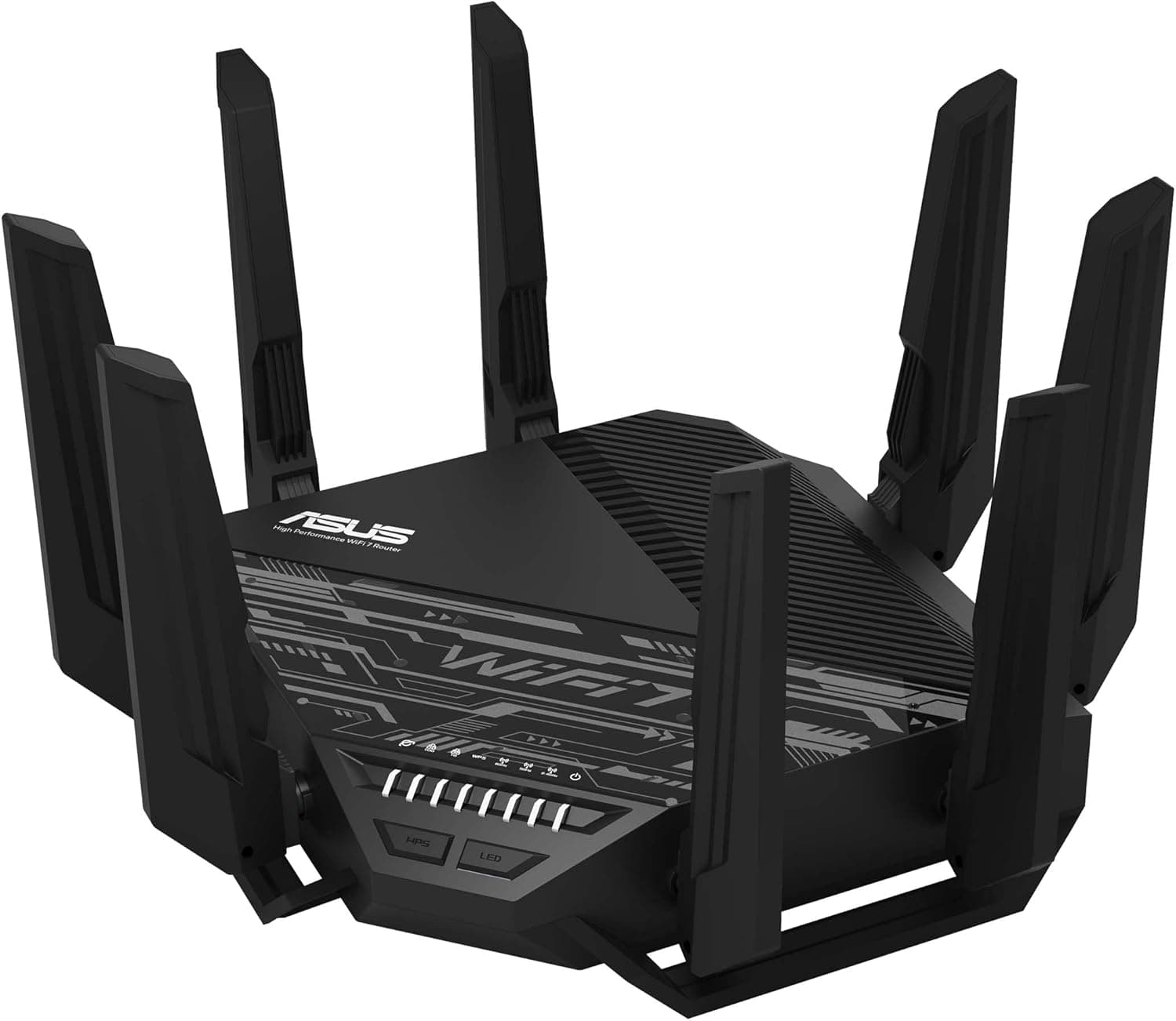
The RT-BE96U is not a subtle piece of hardware. It measures 13.7 by 13.7 by 8.6 inches with its eight antennas fully extended, and it weighs a substantial 4.12 pounds. This is a desktop-only router — there's no wall-mount option, and you wouldn't want to wall-mount something this heavy anyway. The chassis is shared with ASUS's GT-AXE16000, and it has a distinctly spaceship-like aesthetic with sharp angles, aggressive lines, and a clear plastic window on top that reveals a portion of the internal circuitry. It's not what you'd call subtle, and the wife-acceptance factor is low. If your router lives in a living room or other visible space, you'll want to think carefully about where to put it.
That said, the build quality is excellent. The antennas are sturdy and adjustable, the chassis feels solid, and the overall impression is of a piece of equipment built to run continuously for years without issue. The front panel includes LED indicators for WAN, LAN, WPS, and each of the three radio bands. There's a WPS button and an LED toggle button on the front for turning off the status lights if they bother you at night.
The port layout on the rear panel is well organized. On the left side, you'll find the barrel-style power connector, a power button, a USB 3.2 Gen 1 port, and a USB 2.0 port. The center section houses three Gigabit LAN ports and a shared Gigabit WAN/LAN port. On the right side, you'll find the dual 10-gigabit ports — one configured as WAN/LAN and one dedicated LAN. This is a generous port selection, but it's not without compromises, which we'll discuss in the performance section.
One criticism worth noting is the packaging. The RT-BE96U comes wrapped in an excessive amount of plastic — each of the eight antennas has its own plastic bag, the router itself is vacuum-sealed in plastic, and there are multiple stickers and protective films to remove. Unboxing takes a solid five to ten minutes of peeling and unwrapping, which feels wasteful for a product at this price point. Later hardware revisions may have addressed this, but it's worth flagging.
Performance: Where the RT-BE96U Shines
The RT-BE96U is, quite simply, the fastest Wi-Fi router I've tested on the 6-gigahertz band. In close-range testing with a Wi-Fi 7 client equipped with an Intel BE200 adapter, the router negotiated a connection at approximately 4.1 gigabits per second and delivered sustained throughput of over 2.3 gigabits per second in real-world file transfers. This is the first consumer router I've tested that truly breaks through the Wi-Fi 6E speed ceiling and delivers multi-gigabit wireless performance that rivals wired connections.
Tom's Hardware testing recorded the RT-BE96U exceeding 3 gigabits per second at 6 feet on the 6-gigahertz band in uncongested conditions — the first router they'd tested to cross that threshold. Even under congested conditions with multiple 4K video streams and game downloads running simultaneously, the router maintained over 2.4 gigabits per second at close range on 6 gigahertz. This kind of performance means you can transfer large files, back up your NAS, or stream high-bitrate video without ever feeling like you're waiting on the network.
PCMag's testing showed similarly impressive results, with the RT-BE96U delivering 2,451 megabits per second on the 6-gigahertz band at close range and 1,548 megabits per second on the 5-gigahertz band. Signal strength remained strong throughout the test home on both 2.4 and 5 gigahertz, and the router's range is excellent for a single access point. In practice, I found the RT-BE96U could cover approximately 2,500 square feet in a typical home environment, and ASUS advertises coverage up to 5,400 square feet under ideal conditions.
The 5-gigahertz band performance is solid if not class-leading. At close range, the RT-BE96U delivers around 720 to 1,548 megabits per second depending on the client and testing methodology. This is competitive with high-end Wi-Fi 6E routers and more than sufficient for streaming, gaming, and everyday use. The 2.4-gigahertz band delivers the expected 150 to 180 megabits per second, which is fine for IoT devices and legacy clients.
The Multi-Gig Port Situation
The RT-BE96U includes two 10-gigabit ports — one configurable as WAN or LAN and one dedicated LAN. This is both a strength and a limitation. If you have a multi-gigabit internet connection (fiber at 2 gig or 5 gig speeds), having a 10-gig WAN port means you won't be bottlenecked by your router when connecting to the internet. And having a 10-gig LAN port means you can connect a high-performance desktop, NAS, or workstation at full speed.
The limitation becomes apparent if you need more than one multi-gig LAN device or if you want to use Dual-WAN with two multi-gig connections. With only two 10-gig ports total, using Dual-WAN with dual multi-gig connections would consume both ports, leaving zero multi-gig ports for wired clients. The remaining four LAN ports are standard gigabit Ethernet, which feels dated on a $700 router in 2026. Dong Knows Tech's review rightly calls this out — for a router at this price point, at least some of the LAN ports should be 2.5-gigabit, which is the current sweet spot for performance and cost. ASUS's own ROG Rapture GT-BE98 Pro addresses this with more multi-gig ports, but it costs an additional $100.
If you have a simple setup — one multi-gig WAN connection and one multi-gig LAN device — the port configuration works fine. If you have a more complex network with multiple high-speed wired devices, you'll need to factor in the cost of a multi-gig switch.
USB and Storage Performance
The RT-BE96U includes two USB ports — one USB 3.2 Gen 1 and one USB 2.0 — which can be used for sharing storage, printers, or even smartphone tethering for backup internet connectivity. The storage performance is reasonable for a router-based NAS. PCMag's testing recorded write speeds of approximately 82 megabytes per second and read speeds of 83 megabytes per second from an attached USB drive. Dong Knows Tech's testing showed faster results at 150 megabytes per second write and 200 megabytes per second read, likely due to differences in the drives and file systems used.
For occasional file sharing or Time Machine backups, this is perfectly adequate. You wouldn't want to run a production NAS off a router USB port, but for home use — sharing media files, backing up laptops, or serving as a central file dump — it works well. The router also supports wireless Time Machine backups for macOS users, which is a nice touch that saves you from needing a dedicated Mac or NAS for this purpose.
Software and Features
ASUS's ASUSWRT firmware has been a reference implementation for consumer routers for years, and the RT-BE96U runs the latest version with a modern kernel. The web interface is clean, well organized, and responsive. All the major features you'd expect from a premium router are present: a network map, per-band wireless settings, client management, traffic analysis, and system status monitoring.
The feature set is genuinely impressive for a router that doesn't require any subscription or cloud account. You get AiProtection powered by Trend Micro for network security and intrusion prevention. You get Adaptive QoS for traffic prioritization. You get a full VPN server and client (supporting OpenVPN, WireGuard, and PPTP). You get AiMesh compatibility, which lets you build a mesh network by adding other compatible ASUS routers. You get Parental Controls with time scheduling and content filtering. You get Guest Network Pro with support for software-defined virtual networks that can isolate IoT devices, guest traffic, and kid-friendly content on separate virtual networks with their own access rules.
The Guest Network Pro feature deserves special mention. It lets you create up to five virtual SSIDs, each with its own VLAN, access rules, and band selection. You can create a dedicated IoT network for your smart home devices that can't talk to your main network, a guest network with time-limited access and bandwidth throttling, and a kid-safe network with content filtering and bedtime scheduling — all from a single router. This level of network segmentation used to require a business-class firewall or a complex UniFi setup, and having it built into a consumer router is genuinely useful.
The ASUS Router mobile app provides a more streamlined interface for quick changes and monitoring. It's well designed and reliable, though for initial setup and advanced configuration, the web interface is the better choice. Some reviewers have reported issues with the mobile app during initial setup, so I'd recommend using a web browser for the first-time configuration.
Setup and Everyday Use
Setting up the RT-BE96U is straightforward. You can use the ASUS Router app to scan a QR code and walk through the setup wizard, or you can connect via web browser at http://asusrouter.com. The web interface detects your internet connection type automatically, walks you through setting the wireless network name and password, and prompts you to create an admin account. The entire process takes about five minutes.
One thing worth noting: if you're upgrading from an older ASUS router and want to restore your settings, do a factory reset after importing the configuration file to clear out any lingering bugs or compatibility issues. Dong Knows Tech's review specifically recommends this step, and I'd echo the advice based on my own experience.
Once set up, the RT-BE96U is essentially invisible in day-to-day use. It runs cool and completely silent — there's no internal fan, and the passive cooling is sufficient even under heavy load. I stress-tested the router for several days with multiple 4K streams, large file transfers, and video calls running simultaneously, and it never dropped a connection or showed any signs of instability. The router handles the sort of mixed-use household traffic that would cause lesser routers to stutter or buffer without breaking a sweat.
Wi-Fi 7 Client Compatibility
A common question about Wi-Fi 7 routers is whether you need new devices to benefit from them. The answer is nuanced. Any existing Wi-Fi 6, 6E, or earlier client will work perfectly with the RT-BE96U — the router is fully backward compatible. You'll see performance improvements from the better antenna design, more capable processor, and advanced traffic management even with older clients. But the headline multi-gigabit speeds require Wi-Fi 7 clients with compatible adapters.
As of mid-2026, Wi-Fi 7 client support is growing rapidly. Most premium laptops released in 2025 and 2026 include Wi-Fi 7 adapters — Intel's BE200 series and Qualcomm's FastConnect 7800 are the most common. The latest flagship smartphones from Samsung, Xiaomi, and OnePlus include Wi-Fi 7 support. Desktop users can add a Wi-Fi 7 PCIe card for around $30 to $50. The ecosystem is still building, but the trajectory is clear — Wi-Fi 7 will be the standard in new devices within the next year.
If you're building a new desktop PC or buying a laptop in 2026, choosing a model with Wi-Fi 7 is a sensible way to future-proof, and the RT-BE96U gives you the infrastructure to take advantage of it from day one.
MLO: The Promise and the Reality
Multi-Link Operation is one of the most talked-about Wi-Fi 7 features, and it's worth understanding what it does and doesn't do. MLO allows a client device to connect across multiple bands simultaneously — for example, using both 5 gigahertz and 6 gigahertz at the same time to aggregate bandwidth and improve reliability. In theory, this means faster speeds and more stable connections. In practice, MLO is most useful for wireless mesh backhaul connections, where a satellite node can use both bands to communicate with the main router simultaneously.
For client devices on a direct connection to the RT-BE96U, MLO's benefits are more situational. If you're close to the router with a clear line of sight, a single 6-gigahertz connection will outperform MLO because that band offers the most bandwidth and least interference. MLO becomes valuable in challenging RF environments where no single band is consistently reliable — it lets the device seamlessly shift traffic between bands based on real-time conditions.
The RT-BE96U supports MLO, but as with all current Wi-Fi 7 hardware, the feature is still maturing. Client support is limited, and firmware optimizations are ongoing. I'd recommend treating MLO as a nice-to-have bonus feature rather than a primary reason to buy, at least until the standard is finalized and client support becomes universal.
AiMesh: Building a Whole-Home Network
If your home is larger than the RT-BE96U's coverage area, ASUS's AiMesh technology lets you add additional compatible routers as mesh nodes. The RT-BE96U supports wired or wireless backhaul for AiMesh connections, and the setup process is simple — add the new node to your network through the web interface or mobile app, and it automatically configures itself with the same SSID and settings as the primary router.
I tested the RT-BE96U with an older RT-AX89X as a wired AiMesh node connected via the 10-gigabit port, and the performance was excellent. Roaming between nodes was seamless, with video calls and streaming sessions continuing without interruption during handoffs. The 10-gigabit backhaul ensures that the mesh node has no bandwidth bottleneck, which is important for maintaining consistent performance throughout the network.
AiMesh is one of ASUS's strongest advantages over competitors. Netgear offers Orbi mesh systems, TP-Link has Deco, and Eero has its own mesh platform — but only ASUS lets you mix and match different router models in a mesh configuration. If you already own an ASUS router, you can repurpose it as a mesh node when you upgrade, which adds significant value over time.
Competition and Alternatives
The RT-BE96U's primary competitor is ASUS's own ROG Rapture GT-BE98 Pro, which costs approximately $800 — about $100 more than the RT-BE96U's $700 MSRP (and currently available for around $493 on Amazon). The GT-BE98 Pro adds quad-band support (splitting the 5-gigahertz band into two), RGB lighting, additional multi-gig ports, and slightly faster 6-gigahertz peak speeds. For most users, the RT-BE96U is the better value — it delivers similar real-world performance without the gaming aesthetic and RGB gimmickry.
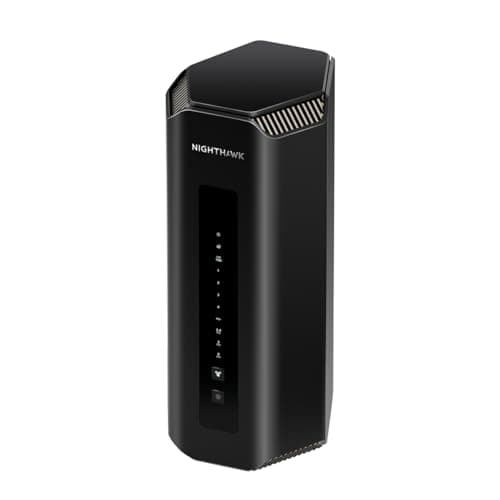
The Netgear Nighthawk RS700S is another option at a similar price point, offering Wi-Fi 7 with a more understated design and comparable performance. Netgear's feature set is less generous than ASUS's — you don't get the same depth of free security and parental control features — but the hardware quality is excellent.
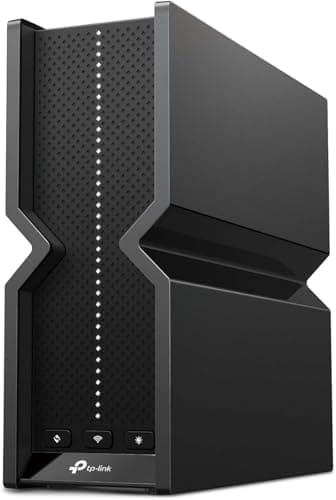
For users building a mesh system, the TP-Link Deco BE63 and ASUS ZenWiFi BT10 are worth considering. Mesh systems sacrifice some peak performance for the convenience of whole-home coverage, and they're generally easier to set up and manage than standalone routers.
On the budget end, the TP-Link Archer BE550 at around $200 delivers Wi-Fi 7 at a much more accessible price point, though you sacrifice the multi-gig ports, range, and feature depth of the RT-BE96U. If your internet connection is under a gigabit and you don't have Wi-Fi 7 clients yet, the BE550 is a sensible way to future-proof without overspending.
Who Should Buy the ASUS RT-BE96U
The RT-BE96U is designed for a specific audience: people with multi-gigabit internet connections who want to maximize their wireless performance. If you have fiber internet at 2 gigabit or faster, and you have a Wi-Fi 7 client device like a recent laptop with an Intel BE200 or Qualcomm FastConnect 7800 adapter, the RT-BE96U will deliver speeds that no Wi-Fi 6 or 6E router can match.
It's also a strong choice for network enthusiasts who want a deep feature set without ongoing subscription costs. The built-in VPN server, AiProtection security, AiMesh compatibility, and Guest Network Pro features are genuinely valuable, and the fact that they don't require a monthly subscription is refreshing in an era where every other networking company is pushing subscription models.
The RT-BE96U is less well suited for users with sub-gigabit internet connections. If your internet speed is 500 megabit or slower, a $200 Wi-Fi 6 router will deliver the same real-world performance for a fraction of the price. The speed advantages of Wi-Fi 7 only become apparent when you have the bandwidth to push multi-gigabit throughput, and most households won't reach that threshold for several more years.
Similarly, if you don't have any Wi-Fi 7 clients, you won't see any benefit from the RT-BE96U's 6-gigahertz speed advantage. Wi-Fi 7 routers are backward compatible with Wi-Fi 6 and 6E clients, but they'll perform at the same level as a good Wi-Fi 6E router with those devices. The upgrade only makes sense if you have or plan to buy Wi-Fi 7 devices in the near future.
Final Thoughts
The ASUS RT-BE96U is the first Wi-Fi 7 router I can recommend without major reservations. It delivers genuinely impressive real-world performance that justifies the early-adopter premium, it includes a comprehensive software feature set that doesn't require subscriptions, and it's stable and reliable in daily use. The multi-gig port limitation is real — four gigabit LAN ports on a $700 router in 2026 is a miss — and the design is more aggressive than most living rooms will appreciate. But if you have the internet connection and the clients to take advantage of what this router can do, the RT-BE96U will transform your home network experience in ways that no previous generation of Wi-Fi could match.
Wi-Fi 7 is still in its early days, and the standard itself isn't fully finalized. But the RT-BE96U proves that the hardware is ready, and for early adopters with multi-gigabit broadband, the future of home networking is already here.
Pros
- Fastest 6 GHz Wi-Fi 7 performance yet tested (over 3 Gbps at close range)
- Comprehensive software feature set with AiProtection, VPN, QoS, no subscription required
- AiMesh compatibility for whole-home mesh expansion
- Dual 10GbE ports for multi-gigabit wired connections
- Excellent range and stability under heavy load
Cons
- Only two multi-gig ports; remaining LAN ports are gigabit-only on a $700 router
- Large, heavy design with low wife-acceptance factor
- Excessive plastic packaging
- Wi-Fi 7 client ecosystem still maturing
Final Verdict
The ASUS RT-BE96U is a tri-band Wi-Fi 7 router that delivers genuine multi-gigabit wireless performance, exceeding 3 Gbps on the 6 GHz band in testing. With dual 10GbE ports, comprehensive ASUSWRT features, AiMesh support, and strong range, it's the first Wi-Fi 7 router worth recommending to early adopters.