Gigabyte MO27U2 Review: Exceptional 4K QD-OLED Gaming Monitor at a Fair Price
The Gigabyte MO27U2 brings fourth-generation QD-OLED technology to the 27-inch 4K 240Hz gaming monitor segment at $649.99, delivering exceptional HDR performance, true blacks, and a comprehensive OLED Care suite with a three-year burn-in warranty.
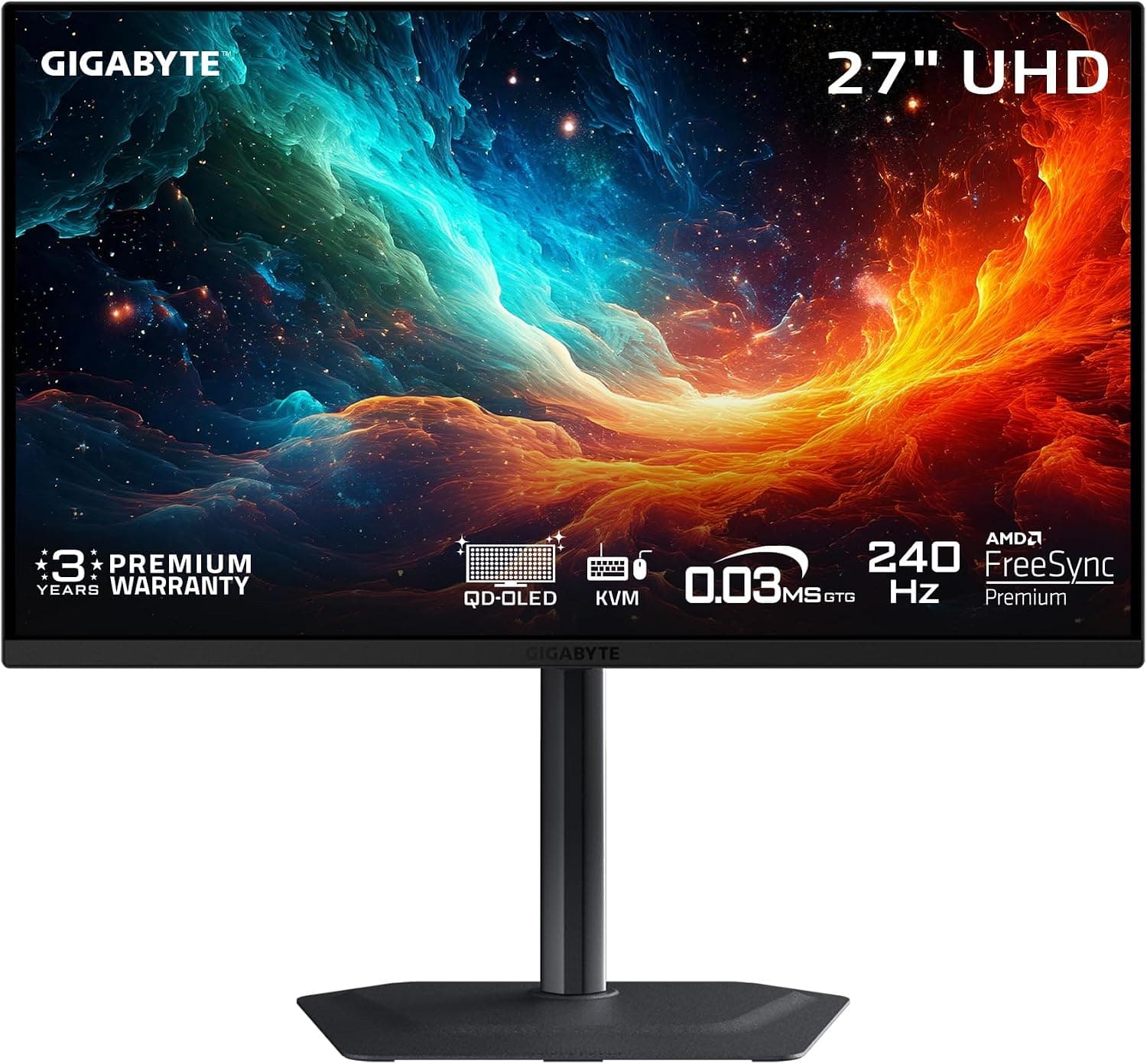
The monitor market has been experiencing a renaissance over the past two years, driven by the rapid maturation of OLED panel technology. Where once OLED monitors were the exclusive domain of early adopters willing to pay a premium for bleeding-edge performance, 2026 has seen the technology reach more accessible price points without sacrificing quality. The Gigabyte MO27U2 is a prime example of this trend. At $649.99, this 27-inch 4K QD-OLED monitor with a 240Hz refresh rate and 0.03ms response time brings flagship-level specifications to what might be called the upper mid-range of the gaming monitor market. The question is whether Gigabyte has executed well enough to justify a place among the best OLED gaming monitors available today. For those comparing display technologies across categories, our LG C6 OLED TV review covers how the latest OLED panel technology performs in the TV space.
Design and Build Quality
The Gigabyte MO27U2 adopts a relatively understated design language that prioritizes function over flash. The monitor is finished in matte black with subtle angular accents on the back panel, and there are no aggressive RGB lighting elements or garish gaming branding. This restrained approach means the MO27U2 will look equally at home in a professional creative workspace as it will in a dedicated gaming setup. The build quality is solid, with no creaking or flexing in the chassis, and the panel itself feels well-protected within the housing.
The included stand offers height adjustment and tilt, providing enough ergonomic flexibility for most users. The range of height adjustment is approximately 130mm, which is sufficient to achieve a comfortable viewing position for desks of various heights. The tilt range of -5 to 20 degrees allows for fine-tuning the viewing angle. There is no swivel or pivot functionality, which is a minor limitation if you frequently need to rotate the monitor to portrait orientation for coding or document work, but this is consistent with the monitor's gaming-focused positioning.
One notable omission is that VESA mount compatibility is not prominently advertised, though the presence of standard 100x100mm VESA holes on the rear confirms that third-party monitor arms and wall mounts are supported. For users planning to use a monitor arm—which is a popular choice for desk setups—this is a welcome inclusion.
The on-screen display (OSD) is controlled through a joystick located on the back-right edge of the monitor. Gigabyte's OSD interface is well-organized and responsive, with clear menu structures that make it easy to adjust brightness, contrast, color profiles, and gaming features like the crosshair overlay or black equalizer. The joystick navigation is intuitive and avoids the frustrating multi-button systems still found on some competing monitors.
Panel Technology: 5-Layer Tandem QD-OLED
The defining feature of the MO27U2 is its display panel, and it is worth understanding exactly what Gigabyte has implemented here. The monitor uses Samsung's fourth-generation QD-OLED technology, which Gigabyte markets as "5-Layer Tandem OLED." This panel architecture stacks five organic light-emitting layers to achieve higher brightness, better color volume, and improved longevity compared to earlier OLED generations.
The key innovation in fourth-generation QD-OLED is the tandem structure, which distributes the light-emitting load across multiple layers rather than concentrating it in a single layer. This has two practical benefits. First, it enables significantly higher peak brightness without accelerating pixel degradation—early QD-OLED panels were often criticized for not being bright enough in well-lit rooms, and the tandem design directly addresses this. Second, the distributed load means each individual layer operates at a lower stress level, which theoretically extends the display's useful lifespan and reduces the risk of burn-in over time.
The quantum dot layer is the other half of the equation. The panel uses a blue OLED emitter as its light source, with quantum dot nanoparticles converting some of that blue light into pure red and green light. The result is exceptionally wide color gamut coverage—Gigabyte rates the MO27U2 at 99 percent of DCI-P3—with highly saturated, accurate colors that exceed what traditional WOLED panels can achieve in color volume. This is particularly noticeable in HDR content, where the combination of deep blacks and vibrant, saturated highlights creates an image quality that LCD panels at any price point cannot match.
The 27-inch size at 4K resolution (3840 by 2160) yields a pixel density of 166 PPI, which is sharp enough that individual pixels are invisible at normal viewing distances. Text rendering is crisp, and fine details in games and videos are rendered with clarity. The 16:9 aspect ratio is the standard for gaming and media consumption, and 27 inches at 4K is widely considered the sweet spot for PC gaming—large enough to provide an immersive field of view on a desk, but compact enough that you do not need to move your head to see the corners of the screen.
Gaming Performance
The 240Hz refresh rate paired with a 0.03ms gray-to-gray response time makes the MO27U2 an exceptional gaming monitor by any measure. The difference between 240Hz and the more common 144Hz or 165Hz panels is immediately noticeable in fast-paced games. Motion clarity is outstanding, with fast camera pans and rapid object movements rendered with minimal persistence blur. This is especially impactful in competitive shooters like Valorant, Counter-Strike 2, and Overwatch 2, where tracking fast-moving targets at high speeds is critical.
The 0.03ms response time is, for all practical purposes, instantaneous. OLED panels do not suffer from the pixel transition latency that plagues LCD technology—there is no ghosting, no overshoot, and no inverse ghosting artifacts regardless of the refresh rate or frame rate. This makes the MO27U2 a genuine upgrade for competitive gamers who have been using high-refresh-rate IPS or TN panels, where some level of ghosting is inevitable. Pair this monitor with a premium gaming mousepad like the Razer Atlas Pro for a complete competitive setup.
Variable refresh rate support is comprehensive. The monitor is certified for both AMD FreeSync Premium Pro and NVIDIA G-SYNC Compatible, meaning it will deliver tear-free, stutter-free gameplay with GPUs from either manufacturer. FreeSync Premium Pro adds HDR support to the variable refresh rate implementation, ensuring that HDR gaming remains smooth and synchronized without the brightness or color compromises that can occur with basic FreeSync in HDR mode.
Console gamers will also benefit from the MO27U2's capabilities. The PlayStation 5 and Xbox Series X both support 4K at 120Hz over HDMI 2.1, and the MO27U2's HDMI ports can accept and display this signal. For console gaming, the combination of 4K resolution, 120Hz support, and OLED contrast creates an experience that rivals high-end television displays. The fast response time also reduces input lag to imperceptible levels, which is particularly valuable for competitive console titles like Call of Duty and Apex Legends.
HDR and SDR Image Quality
In SDR mode, the MO27U2 delivers excellent image quality out of the box. The default picture mode provides accurate color reproduction with good saturation levels, and the gamma tracking is close to the 2.2 target. Black levels are, of course, perfect—each pixel can be turned off completely, producing true blacks that make LCD-based monitors look gray and washed out in comparison. This infinite contrast ratio is the fundamental advantage of OLED technology, and it transforms the viewing experience for any content that contains dark scenes or high-contrast elements.
Gigabyte's QD-OLED panel achieves a near-infinite contrast ratio of 1,500,000:1, which means that in a dark room, the difference between the brightest highlights and the deepest shadows is essentially limited only by the panel's peak brightness capability. This makes the MO27U2 an excellent monitor for horror games, atmospheric titles like Alan Wake 2 or Silent Hill 2 Remake, and any content with night-time scenes or shadow-heavy environments.
HDR performance is where the MO27U2 truly shines. The 5-layer tandem OLED architecture enables peak brightness levels that significantly exceed previous QD-OLED generations. While Gigabyte does not publish a specific peak brightness figure, independent testing of similar fourth-generation panels has shown sustained brightness of 450 to 500 nits in full-screen white and peak highlights exceeding 1,000 nits in small window sizes. This is sufficient to deliver a convincing HDR experience, with specular highlights that pop convincingly against the OLED black levels.
The wide color gamut coverage ensures that HDR content is rendered with the full range of colors that the content creators intended. Games and movies mastered in DCI-P3 or BT.2020 color spaces display with vibrant, saturated highlights that simply cannot be reproduced on lesser displays. The combination of high contrast, wide color gamut, and good peak brightness makes the MO27U2 one of the best HDR gaming monitors available at its price point.
OLED Care and Burn-in Mitigation
Burn-in—the permanent retention of static image elements on the display—has historically been the primary concern for anyone considering an OLED monitor for desktop use. Taskbars, browser UI elements, and game HUDs are all potential sources of uneven pixel wear that can lead to permanent ghosting over extended use periods.
Gigabyte addresses this with a comprehensive suite of OLED Care features. The centerpiece is an AI-based algorithm that monitors pixel usage patterns and dynamically adjusts brightness and voltage to minimize differential aging across the panel. The system runs in the background with minimal performance impact and does not require user intervention.
Additional protective measures include pixel shift, which periodically moves the image by a few pixels to distribute wear across adjacent pixels; pixel refresh cycles that run when the monitor enters standby mode, which recalibrate the panel to maintain uniform brightness; and logo brightness detection, which automatically dims static elements that could cause uneven wear. These features are configurable through the OSD, allowing users to adjust the aggressiveness of the protection based on their usage patterns.
Gigabyte backs the MO27U2 with a three-year warranty that specifically includes coverage for panel burn-in. This is significant because it demonstrates the manufacturer's confidence in the longevity of the tandem OLED panel and provides peace of mind for buyers who might otherwise be hesitant about investing in OLED technology for desktop use. The three-year burn-in warranty is becoming standard among premium OLED monitor manufacturers, and Gigabyte's inclusion of it here is welcome.
Connectivity and KVM Functionality
The MO27U2's connectivity options are generous for a monitor in this price bracket. The port arrangement includes two HDMI 2.1 ports, one DisplayPort 1.4a input, and a USB-C port that supports DisplayPort Alt Mode and power delivery. The HDMI 2.1 ports support full 48Gbps bandwidth, enabling 4K at 240Hz with 10-bit color and HDR without needing display stream compression (DSC) at lower refresh rates. For 4K at 240Hz with full color depth, DSC is required over HDMI 2.1, but the image quality difference is imperceptible in practice.
The USB-C port with KVM functionality is a standout feature for productivity users. By connecting a keyboard and mouse to the monitor's USB downstream ports, you can switch between two connected devices—for example, a desktop PC connected via DisplayPort and a laptop connected via USB-C—using the OSD joystick. This eliminates the need for a separate KVM switch and simplifies cable management for multi-device setups. The USB-C port also provides up to 18W of charging power, which is sufficient to maintain a laptop's battery during light use but not enough to charge a high-power workstation.
The monitor also includes a headphone jack for analog audio output. While the audio quality is adequate for gaming headsets, the MO27U2 does not include built-in speakers, which is standard for monitors at this performance level. Users will need external speakers or headphones for audio.
Color Accuracy and Creative Work
Beyond gaming, the MO27U2 has legitimate appeal for creative professionals who work with color-critical content. The 99 percent DCI-P3 coverage and 10-bit color depth (achieved through 8-bit + FRC, or true 10-bit at lower refresh rates with DSC) provide the color fidelity needed for photo editing, video color grading, and graphic design work.
The out-of-box color accuracy is good but not reference-grade. The default picture mode emphasizes vibrancy and saturation, which is ideal for gaming and media consumption but may not be suitable for color-critical work. Gigabyte provides several preset modes, including a sRGB mode that clamps the color gamut to the sRGB standard for web and print work, and a DCI-P3 mode for video editing. For professional use, the monitor would benefit from hardware calibration, though it does not include a built-in calibration sensor. Users who require reference-level accuracy may want to consider a dedicated professional monitor, but for the majority of creative work, the MO27U2's color performance is more than adequate.
The matte surface finish is worth noting. Unlike glossy OLED panels that can produce stunning reflections in bright environments, the MO27U2 uses a matte coating that effectively diffuses ambient light. This makes it a better choice for brightly lit rooms or workspaces with overhead lighting, as reflections are significantly reduced. The trade-off is a slight reduction in perceived contrast and black depth compared to glossy panels, as the matte coating introduces a subtle haze over dark content. In practice, the difference is minimal, and most users will prefer the matte finish for its superior handling of ambient light.
Real-World Gaming Performance
To understand how the MO27U2 performs outside of benchmark numbers, it helps to consider specific gaming scenarios. In competitive shooters like Valorant and Counter-Strike 2, the combination of 4K resolution and 240Hz refresh rate provides a meaningful competitive advantage. At 4K, enemy player models are rendered with enough detail to spot pixel-wide peaks around corners at long distances, while the 240Hz refresh rate ensures that fast flicks and tracking motions are rendered without the motion blur that can obscure targets on lower-refresh-rate displays. The 0.03ms response time means there is zero perceptible ghosting, so moving targets remain sharp and distinct against any background.
For single-player immersion, the MO27U2 transforms how atmospheric games look and feel. Cyberpunk 2077's Night City is rendered with a depth that makes the contrast between neon-lit streets and dark alleyways feel genuinely realistic. Alan Wake 2's shadow-heavy environments become genuinely atmospheric when shadows are rendered as true black rather than the grayish approximations of LCD panels. The HDR performance in these titles brings out highlight details in explosions, light sources, and reflections that are simply invisible on standard displays.
Console gaming through PlayStation 5 and Xbox Series X is also well-served. Both consoles output 4K at up to 120Hz over HDMI 2.1, and the MO27U2 accepts these signals without issues. The combination of OLED contrast and console-optimized HDR creates a living-room-quality gaming experience on a desktop display.
Comparison to Competing Monitors
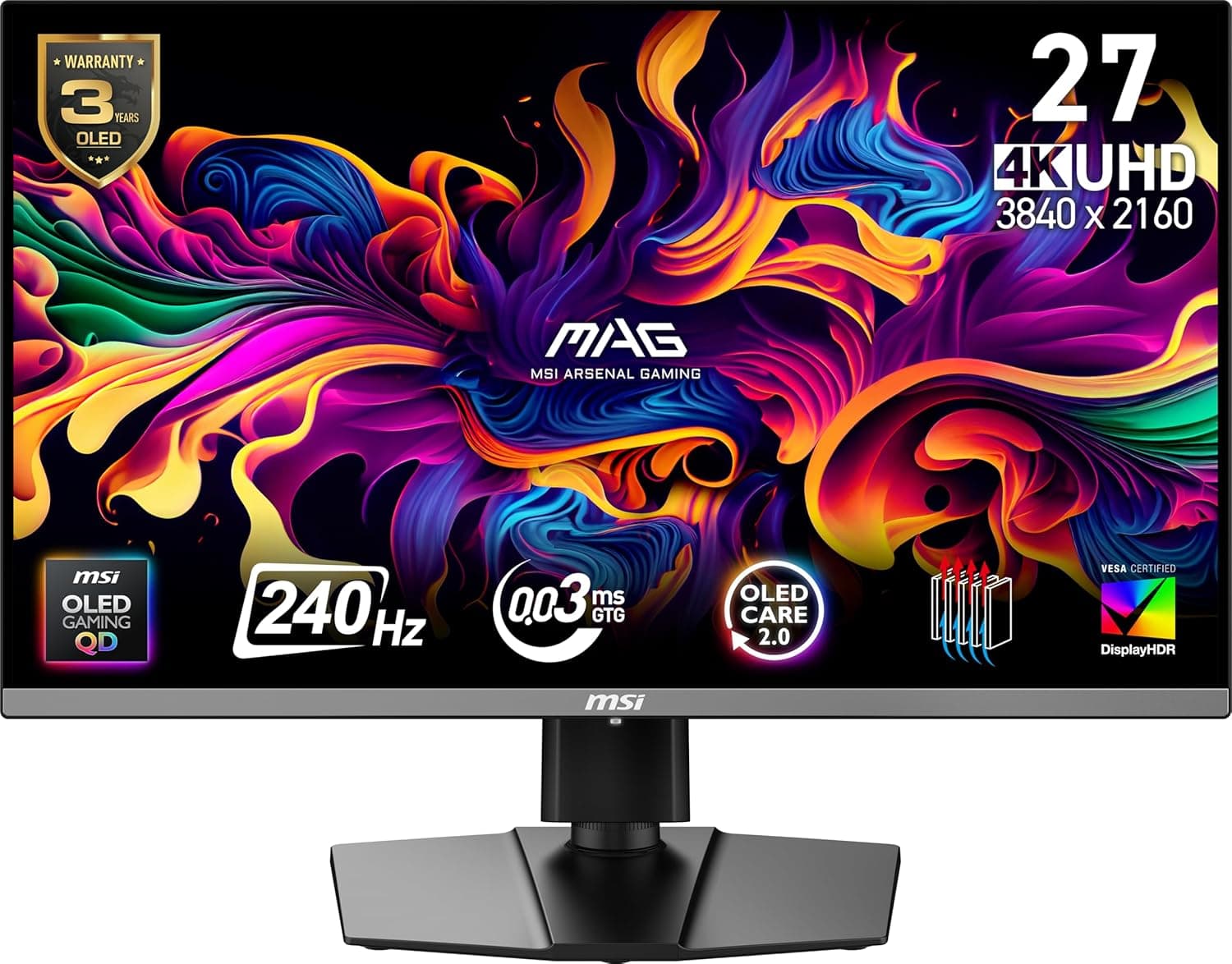
The 27-inch 4K OLED market has several strong entries in 2026, and understanding how the MO27U2 stacks up helps clarify its value. The ASUS ROG Swift OLED PG27UCDM uses the same Samsung QD-OLED panel and offers a more polished OSD with additional gaming features, but it lacks the integrated KVM switch and typically costs $50 to $100 more. The MSI MAG 272UP X24 undercuts the MO27U2 on price by about $50 but uses a third-generation panel with lower peak brightness and a less versatile stand. The Dell Alienware AW2725Q offers a glossy panel finish that produces superior black levels but costs $250 more and includes active cooling fans that produce audible noise. For most buyers, the MO27U2's balance of features, performance, and price represents the best overall value in this segment.
The difference between third-generation and fourth-generation QD-OLED panels is not trivial. The tandem OLED architecture in the MO27U2 delivers approximately 30 percent higher sustained brightness than third-generation panels, which makes a meaningful difference in HDR content and in brightly lit rooms. The improved efficiency also reduces the thermal load on the panel, which contributes to the MO27U2's fanless design—the monitor runs completely silently, unlike some competing OLED monitors that require active cooling fans.
The Bottom Line on OLED Burn-in Risk
The burn-in concern deserves honest discussion. Any OLED panel will experience uneven pixel wear over time if static elements are displayed for extended periods. The taskbar, browser tabs, and game HUDs are the primary risks. Gigabyte's OLED Care features actively mitigate these risks through pixel shifting, automatic brightness adjustments, and periodic refresh cycles, but they cannot eliminate wear entirely. The three-year burn-in warranty provides a safety net, and for most users with mixed usage patterns, burn-in will not become visible within that period. Users who work 12-hour days with the same static layout may want to consider additional precautions, such as hiding the taskbar, using dark mode extensively, and varying window positions periodically.
Who Should Buy the Gigabyte MO27U2
The Gigabyte MO27U2 is targeted at a relatively specific audience, and it is important to understand whether you fit that profile before making a purchase.
If you are a competitive gamer who plays fast-paced shooters, racing games, or fighting games, the combination of 240Hz refresh rate, 0.03ms response time, and OLED motion clarity makes the MO27U2 an excellent choice. The difference between this monitor and a high-refresh-rate LCD panel is immediately apparent in games where split-second reactions matter.
If you are a single-player gamer who values visual quality above all else, the MO27U2 delivers the kind of HDR performance and contrast that makes games look their best. Titles like Cyberpunk 2077, Horizon Forbidden West, and Elden Ring gain a level of depth and realism on OLED that cannot be replicated on LCD panels, regardless of the specifications.
If you work with color-critical content and also game, the MO27U2 can serve as a capable dual-purpose display. The wide color gamut and 4K resolution provide ample canvas for creative work, while the high refresh rate and fast response time satisfy gaming requirements.
If you primarily use your computer for office productivity, web browsing, and spreadsheet work, the MO27U2 is probably overkill. A high-quality IPS panel with good contrast and accurate colors would serve your needs at a lower price point, and you would avoid the minor compromises of OLED technology, such as the sub-pixel layout that can make very small text look slightly less crisp than on a high-PPI LCD panel. Additionally, static UI elements in office applications pose a higher burn-in risk over long-term use, though the OLED Care features mitigate this.
Final Verdict
The Gigabyte MO27U2 represents the maturation of OLED gaming monitors into a genuinely compelling value proposition. At $649.99, it offers a combination of specifications—4K resolution, 240Hz refresh rate, 0.03ms response time, and fourth-generation QD-OLED panel technology—that would have cost well over $1,000 just a year ago. The 5-layer tandem OLED architecture delivers meaningful improvements in brightness, color volume, and longevity over earlier generations, and the comprehensive OLED Care suite with a three-year burn-in warranty provides the peace of mind that has historically been missing from OLED desktop displays.
The build quality is solid, the connectivity options are generous—particularly with the KVM functionality—and the image quality in both SDR and HDR content is genuinely transformative compared to LCD alternatives. The matte finish is a thoughtful consideration for users in bright environments, though purists may prefer the deeper blacks of a glossy panel.
The monitor is not without its limitations. The stand lacks swivel and pivot adjustments. The USB-C power delivery is limited to 18W, which is not sufficient to charge a high-performance laptop. The out-of-box color accuracy in default modes prioritizes vibrancy over precision. But these are minor quibbles against a panel that delivers the core gaming and media consumption experience at a level that few competitors can match at this price.
For gamers and enthusiasts who have been waiting for OLED technology to reach a more accessible price point, the Gigabyte MO27U2 is the monitor that makes the wait worthwhile. It delivers the OLED experience that PC gamers have anticipated for years, wrapped in a package that addresses the reliability and brightness concerns that held earlier generations back. If you are in the market for a 27-inch 4K gaming monitor in 2026, the MO27U2 should be at the top of your shortlist.
Pros
- Fourth-generation QD-OLED with excellent HDR brightness and color volume
- 240Hz refresh rate with 0.03ms response time delivers unmatched motion clarity
- Comprehensive OLED Care suite with AI-based burn-in mitigation
- Integrated KVM switch for multi-device setups
- 3-year warranty includes burn-in coverage, whisper-quiet fanless operation
Cons
- Stand lacks swivel and pivot adjustments
- USB-C power delivery limited to 18W, insufficient for high-power laptops
- Matte coating slightly reduces perceived black depth vs glossy alternatives
- No built-in speakers
Final Verdict
The Gigabyte MO27U2 brings fourth-generation QD-OLED technology to the 27-inch 4K 240Hz gaming monitor segment at $649.99, delivering exceptional HDR performance, true blacks, and a comprehensive OLED Care suite with a three-year burn-in warranty.