Samsung Galaxy Tab S11 Review: The Best Compact Android Tablet Gets Even Better
The Samsung Galaxy Tab S11 returns to an 11-inch form factor with a stunning 1,600-nit AMOLED display, a powerful 3nm MediaTek Dimensity 9400+ processor, a redesigned S Pen, and the best productivity software on any Android tablet. It is the compact flagship Android tablet to beat in 2026.
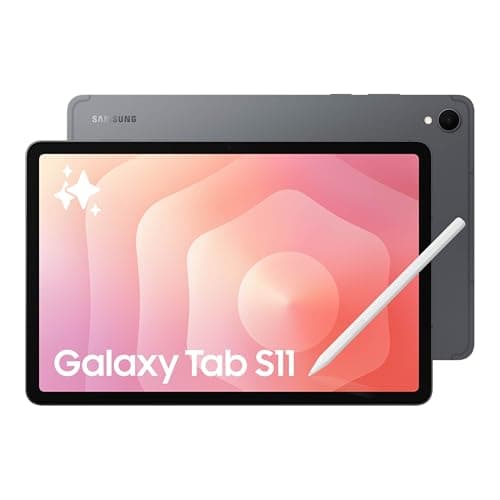
Samsung's Galaxy Tab S series has always represented the pinnacle of Android tablet hardware, but the line took an unexpected detour with the Tab S10 generation — Samsung skipped the compact 11-inch model entirely, offering only the Plus and Ultra sizes. The Galaxy Tab S11 corrects that course decisively. At 11 inches with a gorgeous Dynamic AMOLED 2X display, a new 3nm MediaTek Dimensity 9400+ processor, and Samsung's most ambitious software suite yet, the Tab S11 is the Android tablet that finally gives the iPad Air a real fight. After spending time with the Galaxy Tab S11, I am convinced it is the best compact Android tablet Samsung has ever built, even if its pricing demands careful consideration.
Design and Build Quality
The Galaxy Tab S11 is strikingly portable. It measures 253.8 by 165.3 by 5.5 millimeters and weighs just 469 grams, making it noticeably thinner and lighter than its spiritual predecessor, the Tab S9. The Armor Aluminum frame feels rigid and premium, with no flex or creaking when held in one hand. The back panel is clean and minimal, interrupted only by the Samsung logo and the small camera bump.
Samsung has equipped the Tab S11 with Gorilla Glass 5 on the front, which handled daily use without picking up visible micro-scratches during the review period. The bezels around the display are slim and uniform, giving the tablet a modern look that rivals the iPad Air's design language. The 16:10 aspect ratio is well-suited for movies and multitasking with two apps side by side, though document-heavy workflows benefit slightly more from Apple's squarer 3:2 ratio.
The star of the hardware show might be the IP68 rating. The Galaxy Tab S11 is certified dust-tight and can survive immersion in up to 1.5 meters of fresh water for 30 minutes. This extends to the S Pen as well, which is a rarity in the tablet world — no iPad currently carries an official IP rating. It means you can use the Tab S11 poolside, in the kitchen, or during a rain-soaked commute without anxiety.
The biometrics are handled by a side-mounted fingerprint sensor embedded in the power button. It is fast and reliable, unlocking the tablet consistently on the first press. Face unlock is also available via the front camera, but it is less secure and works only in good lighting.
Display
The 11-inch Dynamic AMOLED 2X display is the centerpiece of the Galaxy Tab S11 experience. The resolution of 2560 by 1600 pixels delivers sharp text and crisp details at normal viewing distances, and the 120Hz refresh rate makes every swipe and scroll feel fluid and responsive. The real headline, however, is brightness. The Tab S11 peaks at 1,600 nits, up dramatically from the 930 nits of the Tab S10. That makes the tablet comfortably usable outdoors, even under direct sunlight, which is something very few tablets can claim.
Color reproduction is excellent. The display covers 100 percent of the sRGB gamut and nearly 89 percent of DCI-P3, with deep blacks and vibrant colors that make movies and games look spectacular. HDR10+ support ensures that compatible content from Netflix, Amazon Prime Video, and YouTube pops with dynamic range that static LCD panels cannot match. The automatic brightness adjustment is aggressive but accurate, adapting quickly when moving between indoor and outdoor environments.
The one area where the Tab S11's display falls short of the Ultra model is anti-reflection coating. The Ultra's screen features an anti-reflective layer that makes it far more usable in bright environments, and its absence on the base model is noticeable in side-by-side comparisons. That said, the standard Tab S11's display is still among the best on any tablet at this size, and most users will be delighted with the quality.
Performance
The MediaTek Dimensity 9400+ is Samsung's first 3nm tablet chip, and it brings meaningful performance gains over the previous generation. The CPU delivers roughly 24 percent higher single-core and multi-core performance than the Tab S10, while the Mali-G925 Immortalis MP12 GPU offers a 27 percent uplift in graphics throughput. In Geekbench 6, the Tab S11 scores around 2,778 single-core and 8,970 multi-core, placing it comfortably ahead of the Tab S10 and competitive with most flagship Android tablets.
Real-world performance matches the benchmarks. Apps open instantly, multitasking with multiple floating windows is smooth, and even demanding games like Genshin Impact run at maximum settings with stable 60 fps frame rates. The tablet does warm up slightly on the back panel after extended gaming sessions, but it never becomes uncomfortable to hold. The 12GB of RAM ensures that apps stay resident in memory, and I rarely encountered apps needing to reload after switching between them.
It is worth noting that the Dimensity 9400+ is not the absolute fastest tablet chip on the market. Apple's M3 and M5 processors in the iPad Air and iPad Pro lineup significantly outperform it in raw CPU and GPU benchmarks, and the OnePlus Pad 3's Snapdragon 8 Elite also edges ahead in multi-core workloads. In day-to-day usage, however, the difference is barely perceptible. Android apps are generally well-optimized for the Dimensity platform, and the Tab S11 never felt slow or laggy during my testing.
S Pen and Creativity
The redesigned S Pen is one of the most significant changes in the Tab S11. Samsung has moved away from the rounded, pebble-like stylus of previous generations in favor of a hexagonal barrel design that closely resembles a traditional wooden pencil. The new shape is more comfortable to hold for extended writing or drawing sessions, and it feels more natural in the hand than the previous round design.
The tip has also been updated to a solid cone shape, similar to the Apple Pencil, which provides a more precise writing feel. Latency is minimal, and the screen's 120Hz refresh rate ensures that ink follows the tip with no perceptible delay. Pressure sensitivity is excellent, with fine control over line weight in supported apps like Clip Studio Paint and Samsung Notes.
The S Pen no longer attaches magnetically to the back of the tablet. Instead, it snaps onto the top edge via a magnetic strip, which also covers the microSD card slot. The new attachment point is more secure than the rear-mounted solution, and the pen is less likely to be knocked off when you slide the tablet into a bag. The S Pen does not require charging, which is a major convenience over the Apple Pencil — it is always ready to use.
Samsung includes the S Pen in the box, which is a meaningful differentiator against the iPad Air, where the Apple Pencil is a separate $99 purchase. Combined with the pre-installed Goodnotes, Clip Studio Paint, and Samsung Notes apps, the Tab S11 is a compelling creative tool right out of the box.
Software and Galaxy AI
The Galaxy Tab S11 ships with Android 16 running Samsung's One UI 8. Samsung promises seven generations of OS updates and seven years of security patches, matching Google's Pixel commitment and exceeding what most Android manufacturers offer.
One UI 8 on the tablet is polished and feature-rich. The interface is optimized for large screens, with a taskbar at the bottom that provides quick access to frequently used apps, a recent apps carousel, and a Samsung DeX toggle. Notification management is handled through a unified shade that separates alerts from quick settings, and the split-screen multitasking is among the best on any tablet. You can run up to three apps simultaneously in resizable windows, plus additional apps in floating pop-up windows.
Samsung DeX has received a substantial upgrade on the Tab S11. It now supports multiple virtual desktops, allowing you to organize apps across different workspaces, and an extended monitor mode that treats an external display as additional screen space rather than a mirror. These features bring the Tab S11 closer to a genuine laptop replacement experience, especially when paired with a Bluetooth keyboard and mouse.
Galaxy AI is woven throughout the software experience. Notes Assist can reformat, summarize, and spell-check handwritten notes. Transcript Assist converts voice recordings into searchable text. Browser Assist summarizes long web articles with a single tap. Writing Assist helps with drafting emails and documents, offering tone adjustments and proofreading. Sketch to Image transforms rough doodles into finished illustrations using generative AI, and Circle to Search with Google lets you search anything on screen by circling it with the S Pen.
The AI features are genuinely useful rather than gimmicky, and they run either on-device or in the cloud depending on the task and your preference. The fact that none of these features require a subscription is a meaningful advantage over Apple's approach, where advanced AI features are still in their infancy on iPad.
Battery Life and Charging
The Galaxy Tab S11 packs an 8,400 mAh battery, which is generous for an 11-inch tablet. In PCMag's standardized video rundown test, the Tab S11 lasted 9 hours and 25 minutes of continuous HD video streaming at maximum brightness over Wi-Fi. ITPro's more moderate video playback test recorded 14 hours and 11 minutes. In mixed daily use — browsing, email, note-taking, video streaming, and light gaming — I consistently got two full days of use before needing to charge.
Charging is supported at up to 45 watts via USB-C. A 15-minute charge delivers about 27 percent, and a full charge from empty takes roughly 90 minutes. That is competitive with the iPad Air and ahead of the OnePlus Pad 3's 67W charging speed in raw wattage, though the OnePlus charges faster in practice thanks to its more efficient charging curve.
The battery life is solid but not class-leading. The iPad Pro M5 manages roughly 11 hours in similar testing, while the OnePlus Pad 3 pushes past 10 hours. If marathon battery life is your priority, the Tab S11 Ultra's 11,600 mAh cell is the better choice, delivering over 11 hours in standardized testing and 17 hours in moderate video playback.
Cameras and Audio
The Galaxy Tab S11's cameras are adequate for video calls and document scanning, but they are not a reason to buy this tablet. The rear 13-megapixel camera captures decent photos in good lighting, with acceptable detail and slightly oversaturated colors that most people will find pleasing for quick snapshots. In low light, the quality drops off quickly, with noticeable noise and loss of detail. The front 12-megapixel camera handles video calls well, with clean image quality at 1080p and 4K resolutions. The wide field of view keeps you comfortably in frame during conference calls.
The audio situation is much more impressive. The quad-speaker array tuned with Dolby Atmos delivers sound that is genuinely surprising for a tablet this thin. The speakers produce clear mids and highs with plenty of volume — PCMag measured a maximum of 91.7 dB — and there is even some bass presence, though it stops short of real low-end thump. Watching movies and playing games on the Tab S11 is an immersive experience without needing external speakers or headphones. For video calls, the speaker array ensures that voices are clear and natural.
Samsung Galaxy Tab S11 vs the Competition
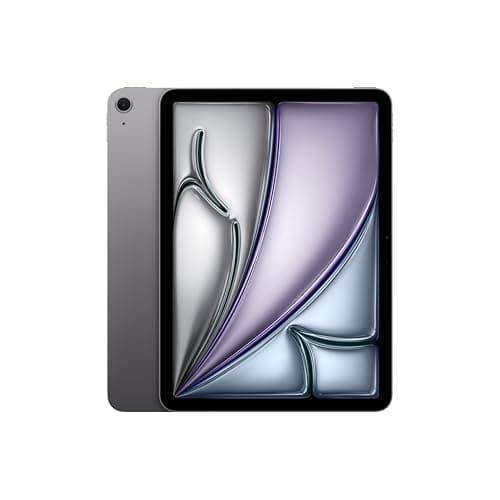
The tablet market in 2026 is increasingly defined by what Apple does with the iPad, and the Galaxy Tab S11 exists in direct competition with the 11-inch iPad Air M3. The iPad Air starts at a lower price — typically $599 versus $799 — and offers a faster processor, a larger app ecosystem optimized for tablets, and better resale value. The Tab S11 fights back with a superior display (AMOLED versus the iPad Air's LCD), an included stylus, IP68 water resistance, and a multitasking system that is genuinely competitive with desktop operating systems.
Against the OnePlus Pad 3, which starts around $500, the Tab S11 struggles on price. The OnePlus offers a faster Snapdragon 8 Elite processor, longer battery life, and 67W charging at a significantly lower cost. What the Tab S11 offers in return is Samsung's software ecosystem, DeX mode, the S Pen, IP68 certification, and the assurance of seven years of updates. For users invested in the Samsung ecosystem — particularly those who already own a Samsung phone or Galaxy Buds — the Tab S11 integrates seamlessly in ways that the OnePlus cannot match.
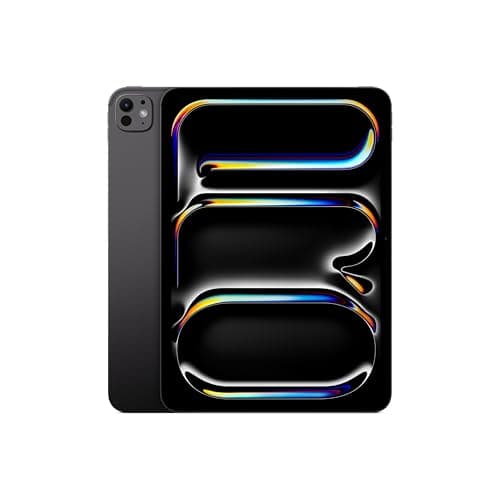
The iPad Pro M5 is in a different class altogether. It is faster, has a better app ecosystem, and the Magic Keyboard is the best tablet keyboard accessory on the market. But it starts at $999 before you add the $349 Magic Keyboard and the $129 Apple Pencil. The Tab S11 with a keyboard cover and the included S Pen comes in at a lower total cost, making it the better value proposition for budget-conscious buyers who need a laptop-like tablet.
One area where the Tab S11 pulls ahead of the iPad Air is the accessory ecosystem. Samsung's Book Cover Keyboard is included in some bundles and costs significantly less than Apple's Magic Keyboard when purchased separately. The keyboard cover provides a comfortable typing experience with well-spaced keys and a sturdy kickstand, though the trackpad is smaller than what you get on the Magic Keyboard. For students typing up essays or professionals drafting documents on the go, the combination of the Tab S11, the keyboard cover, and the S Pen creates a package that handles the full range of academic and office tasks without requiring a separate laptop. The Samsung DeX mode with its multi-desktop support and resizable windows makes this workflow feel natural, bridging the gap between tablet and laptop more effectively than iPadOS's Stage Manager.
The Tab S11 also benefits from Samsung's broader ecosystem in ways that standalone tablets cannot replicate. If you own a Samsung Galaxy phone, features like Auto Switch for Galaxy Buds, call and text continuity, and quick file transfers through Quick Share create a cohesive experience that rivals what Apple users get with the iPhone-iPad combination. Samsung Flow allows you to mirror your phone's screen on the tablet, drag files between devices, and even use the tablet as a second screen for your Samsung laptop. These integration features are easy to overlook when comparing spec sheets, but they meaningfully improve daily usability for users who are already invested in Samsung's hardware ecosystem.
Price and Value
The Samsung Galaxy Tab S11 has a starting MSRP of $799.99 for the 128GB Wi-Fi model, with 256GB and 512GB configurations available at higher prices. That is a significant investment, and it places the Tab S11 squarely in premium tablet territory.
The value equation changes dramatically when the Tab S11 goes on sale, which it frequently does. During Amazon Prime Day, the 128GB model dropped to $535 — a $265 discount that makes it far more competitive. At that price, the Tab S11 is an excellent value, offering a premium AMOLED display, a powerful chipset, the S Pen, and Samsung's best software at a price that undercuts the iPad Air.
The pricing story is complicated by what Samsung offers at different tiers. The 128GB model covers most users' needs for casual use and cloud-based workflows, but power users who store media locally will want the 256GB or 512GB configurations, which push the price higher. The good news is that the microSD card slot supports expansion up to 2TB, so you can buy the base storage tier and upgrade with a $50-to-$100 memory card later. That flexibility is something neither the iPad Air nor the iPad Pro offers, as Apple charges a significant premium for higher storage tiers with no expandable option.
The question of whether the Tab S11 is worth its full $799 MSRP is harder to answer. At that price, you are paying a premium for Samsung's ecosystem advantages — the S Pen, DeX, IP68, and seven years of updates — that competitors like the OnePlus Pad 3 cannot match. If those features matter to you, the Tab S11 justifies its price tag. If you care most about raw performance per dollar, the iPad Air M3 and OnePlus Pad 3 offer more for less.
Verdict
The Samsung Galaxy Tab S11 is the best compact Android tablet money can buy. The AMOLED display is stunning, the performance is smooth, the S Pen is genuinely useful and included in the box, and Samsung's software suite — from DeX to Galaxy AI — makes the tablet a legitimate productivity tool rather than just a consumption device. The IP68 rating is a differentiating feature that no iPad can claim, and the seven-year update commitment provides peace of mind that your investment will not become obsolete quickly.
The Galaxy AI features deserve special mention. While Apple is still finding its footing with on-device intelligence, Samsung has shipped a mature suite of tools that meaningfully improve how you work on a tablet. Notes Assist alone — which cleans up handwritten notes, converts them to text, and summarizes them — is worth the price of admission for students and professionals who take handwritten notes. The fact that all of these features are included at no extra cost, with no subscription required, stands in stark contrast to the industry trend of paywalling AI capabilities.
The downsides are real but manageable. The $799 MSRP is high, and the Tab S11's processor does not match Apple's M-series chips in raw performance. The base model's Wi-Fi 6E connectivity feels like a conspicuous downgrade when the Ultra gets Wi-Fi 7, and the cameras are unremarkable. Battery life is good but not exceptional — you will need to charge after a full day of heavy use, whereas the iPad Pro M5 can sometimes stretch into a second day with lighter workloads. The speakers, while excellent for a tablet this thin, lack the deep bass you get from a dedicated Bluetooth speaker or a laptop with larger drivers.
If you can find the Galaxy Tab S11 on sale — and the frequent discounts to the $500-to-$600 range make this likely — it becomes one of the best tablet values available in 2026. For Android users who want a premium tablet that can handle both entertainment and productivity with equal confidence, the Galaxy Tab S11 is the obvious choice.
The Galaxy Tab S11 is available now on Amazon and directly from Samsung.
Related: OnePlus Pad Go 2 Review · Apple iPad Air M4 Review · Samsung Galaxy Tab S10 FE Review
Pros
- Stunning 11-inch Dynamic AMOLED 2X display with 1,600 nits peak brightness
- Redesigned hexagonal S Pen is comfortable and included in the box
- IP68 dust and water resistance protects both tablet and S Pen
- DeX mode now supports multiple desktops and extended monitor mode
- Seven years of OS and security updates
Cons
- High $799 MSRP makes it a tough sell against the iPad Air without a discount
- Wi-Fi 6E instead of Wi-Fi 7 (Ultra model gets Wi-Fi 7)
- Cameras are adequate but unremarkable
Final Verdict
The Samsung Galaxy Tab S11 returns to an 11-inch form factor with a stunning 1,600-nit AMOLED display, a powerful 3nm MediaTek Dimensity 9400+ processor, a redesigned S Pen, and the best productivity software on any Android tablet. It is the compact flagship Android tablet to beat in 2026.