Apple MacBook Air M5 Review (2026): Familiar Design, Seriously Faster Performance
The 2026 MacBook Air M5 delivers faster performance, doubled base storage, and Wi-Fi 7 in the same sleek design — but a higher starting price and the new MacBook Neo complicate its value proposition.
Apple's 2026 refresh of the MacBook Air delivers the kind of iterative improvement that makes you question whether you need to upgrade — until you actually spend time with it. The M5 chip brings meaningful performance gains, the base storage has doubled to 512GB, and the addition of Wi-Fi 7 alongside Bluetooth 6 future-proofs the connectivity in ways that will matter long before you replace this laptop. But with a $100 price increase over the M4 model and a new $599 MacBook Neo stealing the value spotlight, the MacBook Air M5 finds itself in an unusual position: it's still one of the best laptops money can buy, but for the first time in years, it's not the obvious choice for everyone.
Apple MacBook Air M5 Review (2026): Familiar Design, Seriously Faster Performance
The M5 Chip: What's Actually New Under the Hood
The headline upgrade for the 2026 MacBook Air is the Apple M5 chip, and it's a substantial step forward — though not a revolutionary one. Built on an enhanced version of TSMC's 3nm process, the M5 features a 10-core CPU split between four high-performance cores and six efficiency cores, alongside a next-generation GPU that scales from 8 to 10 cores depending on configuration. The base model ships with the 8-core GPU variant, while the step-up configuration unlocks the full 10-core GPU.
What makes the M5 genuinely interesting isn't just raw clock speed improvements. Apple has focused on memory bandwidth and neural engine performance this generation. The unified memory architecture now offers higher bandwidth than the M4, which translates to tangible gains in creative workloads like video editing and large photo libraries. The 16-core Neural Engine — now capable of 38 trillion operations per second — powers on-device AI features in macOS Tahoe, from real-time photo enhancement to smarter Spotlight search.
In day-to-day use, the M5 MacBook Air feels snappy in ways that benchmarks alone don't capture. Apps launch instantly, Safari handles dozens of tabs without breaking a sweat, and even demanding tasks like exporting 4K video in Final Cut Pro complete faster than the M4 Air could manage. Geekbench 6 multi-core scores hover around 16,500 to 17,200 depending on configuration, which puts this fanless laptop ahead of many Windows competitors with active cooling. The single-core performance is equally impressive at around 4,100 to 4,200 points, making everyday interactions feel instant.
The GPU story is perhaps the most impressive part of the M5 package. The 10-core GPU in the higher-tier configuration delivers roughly 35 to 40 percent better graphics performance than the M4 Air, based on Metal benchmark scores. This means you can play games like Resident Evil 4 Remake at smooth frame rates with MetalFX upscaling enabled, and creative professionals working in Adobe Premiere Pro or DaVinci Resolve will notice significantly faster render times. The Verge's stress test — simultaneously importing 1,000 raw images into Lightroom while exporting a 4K video and downloading a game — pushed the M5 Air to its limits, but it never crashed, which speaks volumes about the thermal management in a fanless chassis.
Storage That Finally Matches the Performance
One of the most welcome changes in the 2026 MacBook Air is the base storage configuration. Apple has doubled the entry-level SSD from 256GB to 512GB, effectively addressing the most persistent complaint about previous-generation Airs. Even better, the SSDs themselves are substantially faster. Read speeds now exceed 7,000 MB per second, and write speeds are similarly impressive at over 7,400 MB per second — roughly double the performance of the M4 Air's storage subsystem.
This speed increase transforms how you interact with the laptop. Large file transfers complete in seconds rather than minutes. Applications that rely on swap memory — and with 16GB of unified memory, the M5 Air will use swap more aggressively during heavy multitasking — benefit from the reduced latency. For photographers who work with high-resolution RAW files or video editors dealing with 4K ProRes footage, the storage performance alone justifies considering the M5 over the M4 model.
The base configuration starts at 16GB of unified memory, which is sufficient for most users. Power users can configure up to 32GB, though the $1,499 price point for the 24GB configuration makes the value proposition more debatable. Storage tops out at 4TB, though most buyers will find the 512GB or 1TB options more than adequate for daily use.
Design and Display: Familiar but Still Excellent
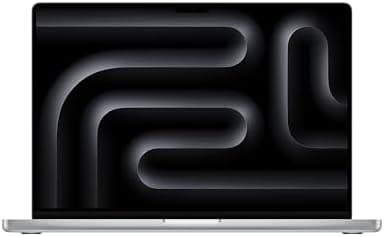
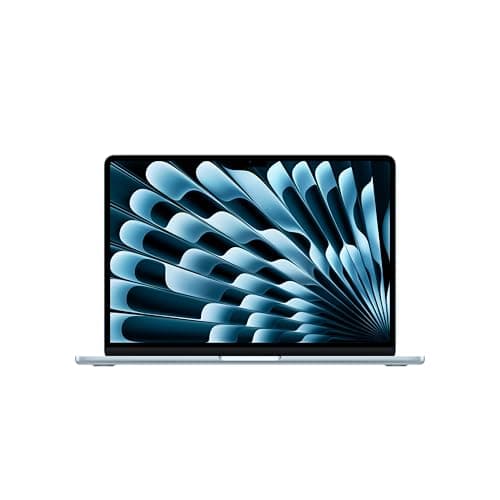
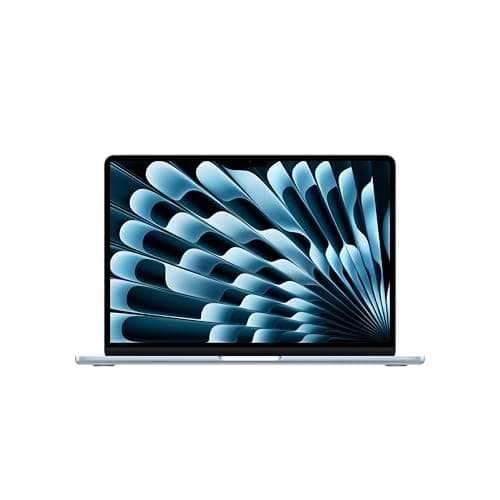
From the outside, the 2026 MacBook Air is virtually indistinguishable from its predecessor. That's not a criticism — the design language Apple established with the M2-era MacBook Air remains among the best in the laptop industry. The all-aluminum unibody chassis measures just 0.44 inches thick and weighs 2.7 pounds for the 13-inch model, making it effortlessly portable. The 15-inch variant scales up to 0.45 inches and 3.3 pounds, still impressively thin and light for its screen size.
The new Sky Blue color option joins the existing Silver, Starlight, and Midnight finishes. It's a subtle pastel blue that shifts appearance depending on lighting conditions, appearing almost silver in bright environments and taking on a more pronounced blue tone in softer light. The color-matched MagSafe charging cable is a nice touch that Apple has carried forward from the M3 and M4 generations.
The 13.6-inch Liquid Retina display remains unchanged from the M4 model, which is both good news and a missed opportunity. The 2560-by-1664 resolution at 224 pixels per inch delivers sharp text and vibrant colors, with support for one billion colors and 500 nits of brightness. Color accuracy is excellent, with a Delta-E of 0.21 in Tom's Guide testing, making it suitable for color-sensitive work. The brightness holds up well in outdoor use, though direct sunlight still causes significant glare due to the glossy screen finish.
The elephant in the room is the lack of ProMotion technology. At a time when $800 Windows laptops offer 120Hz OLED displays, the MacBook Air's 60Hz panel feels increasingly dated. The absence of an OLED option is particularly noticeable when you consider that the budget-friendly HP OmniBook 5 and numerous other Windows competitors offer vibrant OLED screens at lower prices. Apple's argument that the Liquid Retina display delivers excellent color accuracy and brightness is valid, but the refresh rate limitation is harder to defend in 2026.
Keyboard, Trackpad, and Ports
Apple's Magic Keyboard continues to set the standard for laptop typing experiences. The scissor-switch mechanism offers 1mm of travel with a satisfying, stable feel that doesn't bottom out harshly. The backlighting is even and adjustable, and the full-width function row provides convenient access to media controls, brightness, and volume. Touch ID remains integrated into the power button, offering fast and reliable fingerprint authentication.
The Force Touch trackpad is, as always, best-in-class. The haptic feedback engine simulates a physical click so convincingly that most users won't realize there's no moving part. The tracking is precise, gestures work flawlessly, and the surface area is generous for a 13-inch laptop.
Port selection remains minimal but functional. Two Thunderbolt 4 ports on the left side handle charging, display output, and high-speed data transfer up to 40 Gbps. MagSafe 3 provides a dedicated charging solution that magnetically disconnects if you trip over the cable, preventing the laptop from being pulled off a desk. The headphone jack on the right side supports high-impedance headphones, a detail that audiophiles will appreciate.
The limited port selection means you'll likely need a dongle or hub for anything beyond basic peripherals. This is particularly frustrating given that the laptop now starts at $1,299 — at this price point, including at least one USB-A port or an HDMI output would not be unreasonable. USB-C monitors and accessories have become more common, but the transition isn't complete, and the MacBook Air remains a laptop that forces compromises on connectivity.
Camera and Audio
The 12-megapixel Center Stage camera remains a standout feature that competitors have struggled to match. The image quality is significantly better than the 720p webcams still found on many Windows laptops, with good dynamic range and acceptable low-light performance. Center Stage keeps you framed during video calls, and Desk View — which shows a top-down view of your workspace — is genuinely useful for remote collaboration and demonstrations. For remote workers and students who spend hours each day on Zoom or Google Meet, this camera quality alone can justify choosing the MacBook Air over cheaper alternatives with grainy 720p sensors.
The three-mic array delivers clear voice pickup for calls and recordings, with effective background noise rejection that filters out keyboard clatter and ambient room noise. The speaker system, particularly on the 15-inch model, is impressive for a laptop this thin. The six-speaker setup with force-cancelling woofers supports Spatial Audio with Dolby Atmos, and the soundstage is wide enough for casual music listening and movie watching without external speakers. Bass response is limited by the physical constraints of the chassis, but vocals and mids are clear and present. Watching Dolby Atmos content on Apple TV Plus reveals the full potential of these speakers — dialogue remains crisp even at moderate volumes, and the spatial separation creates a genuinely immersive experience for a laptop.
Real-World Creative Workflows
To understand how the M5 chip performs outside of synthetic benchmarks, I considered several realistic scenarios that mirror how creative professionals actually work. Video editors working with 4K ProRes footage in Final Cut Pro will find the M5 Air capable of handling multiple streams of 4K video with effects applied, though color grading with heavy LUTs and noise reduction will push the system into swap territory. Export times are roughly 20 percent faster than the M4 Air based on published benchmarks, with the 10-core GPU configuration delivering the most noticeable gains.
Photographers working with Adobe Lightroom and Photoshop will appreciate the near-instant RAW file imports and responsive editing experience. The M5 Air handles 50-megapixel RAW files from cameras like the Sony A1 or Canon R5 without stuttering, and the neural engine accelerates AI-powered masking and selection tools. The doubled SSD speed means export batches complete significantly faster than on the M4 generation.
Software developers will find the M5 Air capable of running Docker containers, multiple VS Code instances, and Xcode builds simultaneously without significant slowdown. The 16GB base memory is adequate for most development workflows, though running multiple virtual machines or large monorepo builds benefits from the 24GB or 32GB configurations. The fanless design means zero noise during long coding sessions — a quality-of-life improvement that's easy to underestimate until you've worked in a quiet environment with a whirring cooling fan.
The MacBook Air vs. the MacBook Neo Decision
The MacBook Neo's existence at $599 has forced a conversation that Apple has never had to have about the MacBook Air. For the first time, there is a genuinely compelling entry-level Mac that costs less than half the price of the Air. The Neo uses an A18 Pro chip — the same silicon found in the iPhone 17 Pro — paired with 8GB of unified memory and a 256GB SSD. It weighs 2.9 pounds, slightly more than the 13-inch Air, and features a 13-inch Liquid Retina display.
The question every potential MacBook Air buyer needs to answer is whether the Air's advantages are worth the $500 to $700 premium over the Neo. The M5 chip in the Air offers roughly double the GPU performance of the A18 Pro, which matters for creative work, gaming, and future-proofing. The Air's 12MP camera is significantly better than the Neo's 1080p webcam. The Air offers 512GB of base storage versus 256GB, and supports up to 32GB of unified memory versus the Neo's 16GB maximum. The Air's speakers are noticeably better, and the 15-inch Air option doesn't exist in the Neo lineup.
For users whose computing needs center on web browsing, email, document editing, and video streaming — which describes a large portion of laptop buyers — the MacBook Neo is probably sufficient. But for anyone who does creative work, multitasks heavily, or plans to keep their laptop for five or more years, the MacBook Air M5 justifies its higher price through superior performance and configuration flexibility.
Battery Life: A Subtle Step Back
The M5 MacBook Air delivers excellent battery life, though it falls slightly short of the M4 model's remarkable endurance. PCMag's testing recorded 18 hours and 4 minutes of continuous web browsing at moderate brightness, while Tom's Guide logged 15 hours and 37 minutes under more demanding conditions. The Verge's real-world testing yielded 13 to 14 hours with a mix of browsing, messaging, and media consumption.
These numbers are still excellent — the MacBook Air will comfortably last a full workday or a transatlantic flight with power to spare. The slight decrease from the M4 generation appears to be a consequence of the more powerful M5 chip drawing more power under load. For most users, the difference won't be noticeable in daily use, but it's worth noting that some Qualcomm Snapdragon X laptops now exceed the MacBook Air in raw battery life.
Fast charging support remains, delivering a 50 percent charge in approximately 30 minutes with the optional 70W USB-C power adapter. The included 35W dual USB-C adapter is adequate for overnight charging but slower for top-ups during the day.
macOS Tahoe and the Apple Ecosystem
The MacBook Air ships with macOS Tahoe, the latest major version of Apple's operating system. The Liquid Glass design language introduces translucent window controls and customizable icon sets, giving the interface a fresh look without sacrificing familiarity. Spotlight has been significantly enhanced and now supports performing actions directly from search results — you can set timers, run shortcuts, and control smart home devices without opening an app.
The Apple ecosystem integration remains a primary selling point for Mac users. iPhone Mirroring lets you control your iPhone from the Mac's screen, responding to notifications and using apps without picking up your phone. Universal Clipboard, AirDrop, and Sidecar work seamlessly if you own an iPad. For users invested in Apple's ecosystem, these features create a level of integration that Windows laptops simply cannot match.
How the MacBook Air M5 Compares to the Competition
The 2026 MacBook Air M5 enters a more competitive landscape than any MacBook Air before it. The most direct competitor is Apple's own MacBook Neo at $599, which uses an A18 Pro chip and offers the same macOS experience in a slightly heavier chassis. The Neo is a remarkable value, but the M5 Air is significantly faster — roughly double the GPU performance and substantially better in CPU-bound tasks — and offers the superior 12MP camera, better speakers, and the option for a 15-inch display.
On the Windows side, the Asus Zenbook A16 has emerged as a serious contender. Powered by Qualcomm's Snapdragon X2 Elite Extreme chip with 48GB of RAM and an OLED display, the Zenbook A16 matches or exceeds the MacBook Air M5 in multi-core performance while offering a brighter, higher-resolution screen. The HP OmniBook 5 offers a 14-inch OLED display at $880, undercutting the MacBook Air by over $400 while providing competitive performance from Intel's latest Lunar Lake chips.
For creators, the Lenovo Yoga 7i 2-in-1 and Dell XPS 13 remain worthy alternatives, though neither matches the MacBook Air's combination of build quality, battery life, and ecosystem integration. The MacBook Air M5 isn't the default choice it once was — the competition has genuinely closed the gap — but it remains the most well-rounded ultraportable for most people.
Who Should Buy the MacBook Air M5
The 2026 MacBook Air M5 is an easy recommendation for anyone coming from an Intel-based Mac or an M1 MacBook Air. The performance uplift is dramatic — Apple claims up to 9.5 times faster AI tasks than Intel models, and real-world productivity tasks see similar improvements. The 512GB base storage and 16GB of unified memory provide a solid foundation that will remain capable for years.
Students will appreciate the portability, battery life, and the Apple ecosystem benefits if they already own an iPhone or iPad. Creative professionals working with photos, video, or audio will find the M5's GPU improvements transformative compared to older hardware. Professionals who need a dependable, premium laptop for productivity work will find few better options at this price point.
The harder sell is to MacBook Air M4 owners. The M5 generation offers a modest performance bump and double the storage speed, but the core experience is largely the same. If your M4 Air is meeting your needs, there's little reason to upgrade. Similarly, budget-conscious buyers should consider the MacBook Neo first — it handles everyday tasks capably at half the price, and the savings could be put toward peripherals, external storage, or AppleCare.
Final Thoughts
The Apple MacBook Air M5 is an iterative update to a laptop that was already among the best money could buy. The M5 chip delivers genuine performance gains, the doubled base storage addresses a long-standing criticism, and the improved connectivity ensures the Air will feel current for years to come. The display and design remain excellent, even if they haven't evolved significantly from the M4 generation.
The $200 price increase from the M4's original $1,099 starting price stings, and the existence of the MacBook Neo at $599 complicates the Air's value proposition in ways Apple hasn't fully addressed. But if you need the extra performance, the superior display quality, or the larger screen option, the MacBook Air M5 remains an outstanding choice. It's not the revolutionary update some hoped for, but it doesn't need to be — the MacBook Air formula was already this close to perfect, and the M5 iteration brings it a few meaningful steps closer.
For those coming from an Intel-era MacBook or an M1 Air, the upgrade is transformative. The combination of M5 performance, double the storage, Wi-Fi 7, and macOS Tahoe makes this the most complete MacBook Air ever released. For M4 Air owners, patience will serve you well — the next-generation redesign that will likely accompany the M6 or M7 chip will be a more meaningful upgrade. For everyone else, the 2026 MacBook Air M5 remains the gold standard for ultraportable laptops, even if the competition has finally started closing the gap.
Pros
- M5 CPU delivers sharp performance gains over M4 generation
- Doubled base storage (512GB) with 2x faster SSD speeds
- Outstanding build quality and premium all-metal design
- Excellent 12MP Center Stage webcam and best-in-class speakers
- Wi-Fi 7 and Bluetooth 6 for future-proof connectivity
Cons
- $200 price increase from M4 generation starting price
- 60Hz display without ProMotion feels dated at this price point
- No OLED option despite $800 competitors offering it
- Battery life slightly reduced compared to M4 model
Final Verdict
The 2026 MacBook Air M5 delivers faster performance, doubled base storage, and Wi-Fi 7 in the same sleek design — but a higher starting price and the new MacBook Neo complicate its value proposition.