Lenovo Yoga Tab Plus Review: The All-In-One Android Tablet That Finally Gets the Formula Right
The Lenovo Yoga Tab Plus delivers exceptional value with its 12.7-inch 144Hz display, Snapdragon 8 Gen 3 processor, incredible six-speaker audio system, and included keyboard, stylus, and kickstand — all at a price that undercuts the iPad Air by hundreds of dollars.
The Lenovo Yoga Tab Plus positions itself as Android's answer to the iPad Air — a large-screen tablet that comes with a keyboard, stylus, and kickstand right in the box, all for a price that undercuts Apple's offering by a significant margin. After spending considerable time with this 12.7-inch Android tablet, I can confidently say Lenovo has created something genuinely compelling here, even if it isn't without its compromises. The Yoga Tab Plus manages to deliver a premium experience that challenges the notion that Android tablets are inherently second-class citizens in the tablet world.
Design and Build Quality
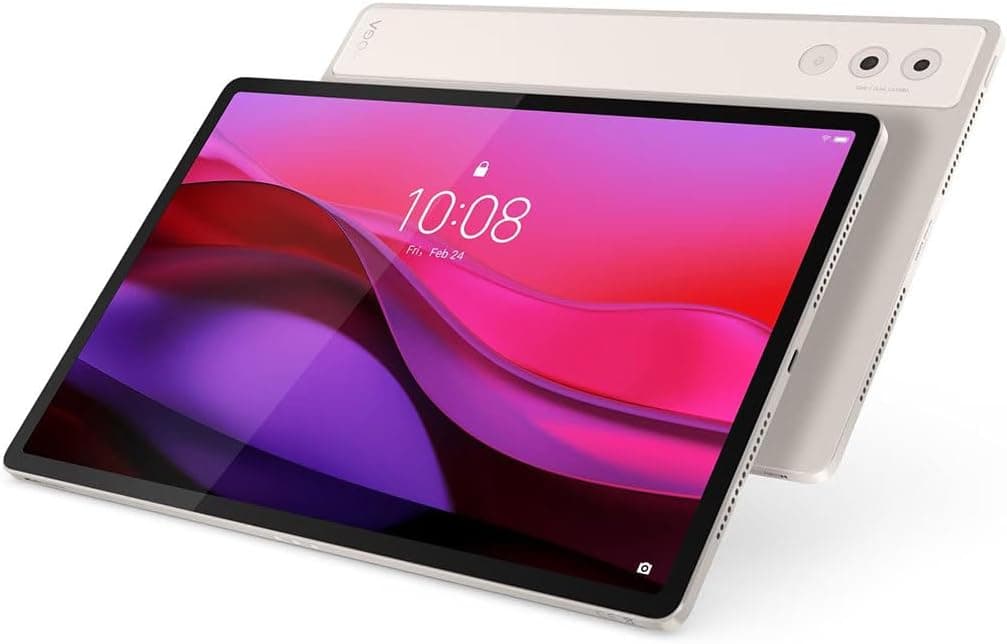
Lenovo's design philosophy with the Yoga Tab Plus leans into understated elegance. The tablet features a unibody metal construction that feels solid and reassuring in the hand, with a smooth matte finish that resists fingerprints reasonably well. Available in a single "Seashell" colorway — a soft off-white that looks more premium than basic silver or gray — the Yoga Tab Plus measures just 6.69mm thick and weighs 640 grams (1.41 pounds). Those are impressive numbers for a 12.7-inch tablet, making it thinner than the iPad Air while weighing about the same.
The industrial design is clean and minimalist. The front is dominated by that expansive display with relatively slim bezels that provide enough room for your thumbs to grip without triggering accidental touches. The rear camera module sits flush with the back panel, which is a thoughtful touch for a device you'll frequently set down on desks. The side-mounted fingerprint sensor doubles as the power button and sits within easy reach whether you're holding the tablet in portrait or landscape orientation. It's reliable and fast, waking the device in under a second.
One of the standout aspects of the physical design is the included accessories. The magnetic kickstand attaches firmly to the back of the tablet and offers multiple viewing angles, from a shallow typing position to a near-upright media viewing stance. It's covered in a soft leather-like material that matches the tablet's Seashell color, and it adds minimal bulk. The keyboard folio connects magnetically to the bottom edge and communicates via pogo pins, so there's no Bluetooth pairing required. The keys offer surprising travel for a tablet keyboard — about 1.3mm — and the layout is spacious enough for comfortable touch typing once you adjust to the slightly condensed right-side keys.
The Lenovo Tab Pen Pro feels natural and responsive in hand. It attaches magnetically to the top edge of the tablet where it also charges wirelessly, so you never have to worry about batteries or cables. With 8,192 levels of pressure sensitivity and haptic feedback that simulates the feel of writing on paper, it's a genuinely useful creative tool rather than an afterthought.
Display Quality
The 12.7-inch LTPS LCD panel is one of the Yoga Tab Plus's strongest features — and also one of its most debated. With a resolution of 2,944 by 1,840 pixels (roughly 3K) and a pixel density of 273 PPI, this display delivers sharp, detailed visuals that hold up under close inspection. Text rendering is crisp, images have excellent clarity, and video content looks immersive on this expansive canvas.
The 144Hz refresh rate is the headline feature here, and it makes a real difference in daily use. Scrolling through web pages, navigating the Android interface, and switching between apps all feel butter-smooth. You don't realize how much you appreciate high refresh rates until you go back to a standard 60Hz panel, at which point the difference becomes immediately apparent.
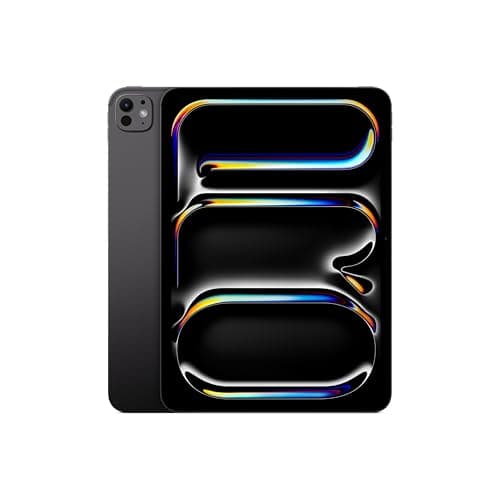
Color reproduction is excellent, with 100% DCI-P3 coverage delivering vibrant, punchy colors that make photos, movies, and games pop. The panel also supports Dolby Vision, which means supported content from Netflix, Disney+, and other streaming services looks fantastic with improved dynamic range. Where the display falls short of truly elite status is in contrast ratio — this is an IPS LCD panel, not OLED, so blacks are more of a very dark gray than the true inky blacks you'd get on a Galaxy Tab S11 or iPad Pro with its tandem OLED display. In dimly lit rooms, this limitation is noticeable when watching content with letterbox bars.
Brightness is a mixed bag. The panel can reach a claimed peak of 900 nits, which makes it usable outdoors in shaded conditions, but sustained full-screen brightness sits closer to 650 nits. That's perfectly adequate for indoor use and respectable among LCD tablets, but it doesn't match the peak brightness of high-end OLED tablets. The anti-reflective coating is genuinely excellent, cutting down on glare significantly and making the tablet much more usable near windows or under overhead lights.
Performance and Hardware
Under the hood, the Yoga Tab Plus packs Qualcomm's Snapdragon 8 Gen 3 — the same flagship silicon that powered many of 2024's premium Android phones. While it's technically a generation behind the latest Snapdragon 8 Elite chips appearing in 2026 phones, it remains a powerhouse in the tablet space. Paired with 16GB of LPDDR5X RAM and 256GB of UFS 4.0 storage, this tablet handles everything you throw at it with aplomb.
In synthetic benchmarks, the Yoga Tab Plus delivers impressive numbers. Geekbench 6 scores of approximately 2,186 single-core and 6,441 multi-core put it ahead of the Galaxy Tab S10 FE+ and competitive with the OnePlus Pad 3. GPU performance is even more impressive, with the Adreno 750 graphics processor delivering 48 fps in GFXBench benchmarks — beating both Samsung and OnePlus competitors. In real-world usage, this translates to flawless performance across the board. Apps open instantly, multitasking with split-screen and floating windows is smooth, and even demanding games like Genshin Impact run at max settings without stuttering or thermal throttling.
The 16GB of RAM deserves special mention. In an era where even laptops are only starting to move past 8GB as standard, having 16GB in a tablet means you can keep dozens of browser tabs open, switch between heavy productivity apps, and still have headroom for demanding creative applications. This is genuinely a tablet that can serve as a primary computing device for many users.
Storage, however, is a point of contention. The Yoga Tab Plus comes in a single 256GB configuration with no microSD card slot for expansion. For a productivity-focused tablet meant to handle documents, media, and creative projects, 256GB can fill up faster than you'd expect — especially if you're downloading movies for offline viewing or working with high-resolution photos and videos. Competitors like Samsung offer expandable storage on their tablets, and its absence here is a genuine limitation.
Connectivity is otherwise well-served. Wi-Fi 7 support future-proofs your wireless networking, Bluetooth 5.4 handles peripheral connections with improved efficiency, and the USB-C 3.1 port supports DisplayPort Alt Mode for connecting to external monitors. Notably absent is any cellular connectivity option — there's no 5G or LTE model, which limits the tablet's usefulness as a truly mobile device.
Audio Performance
If the display is one of the Yoga Tab Plus's best features, the audio system is arguably its absolute standout. Lenovo has equipped this tablet with six Harman Kardon-tuned speakers — two tweeters and four subwoofers — arranged in a configuration that delivers genuinely surprising audio quality from a device that's barely a quarter-inch thick.
The numbers tell part of the story: max volume hits 98.1 dB, which is loud enough to fill a medium-sized room without distortion. But it's the quality that impresses. The four subwoofers produce low-end response that you simply don't expect from a tablet. The kick drum in rock tracks has actual weight behind it, movie explosions carry genuine impact, and bass-heavy electronic music remains composed at high volumes. The tweeters handle the upper frequencies with clarity, delivering crisp dialogue in movies and detailed high-end in music.
Dolby Atmos spatial audio processing adds an extra dimension to the listening experience. Supported content gains a sense of height and spaciousness that conventional stereo simply can't match. When watching an action movie, you can hear helicopters panning overhead and dialogue anchoring to the screen in a way that's genuinely immersive.
This audio system fundamentally changes how you use the tablet. With most tablets, you reach for headphones or a Bluetooth speaker for any serious media consumption. With the Yoga Tab Plus, the built-in speakers are good enough that you'll often skip the external audio entirely. It transforms the tablet into a self-contained entertainment hub that you can set up on a desk or nightstand and enjoy without any additional accessories.
Software and User Experience
The Yoga Tab Plus runs Android 14 out of the box with an upgrade to Android 15 available, layered with Lenovo's ZUI software skin. The good news is that ZUI is relatively lightweight compared to some other Android skins, maintaining a clean interface that doesn't stray too far from stock Android's design language. The bad news is that Lenovo's update commitment is mediocre: three OS upgrades and four years of security patches. That's better than many budget Android tablets but falls well short of Samsung's seven-year commitment or Apple's five-plus years of iPadOS updates.
Lenovo's productivity-focused additions are genuinely useful. The PC Mode transforms the Android interface into a desktop-like environment with resizable windows, a taskbar, and proper window management — similar to Samsung DeX. It works well for multitasking and makes the tablet feel much more laptop-like when paired with the keyboard. Smart Connect allows seamless file sharing and screen mirroring between Lenovo devices, which is handy if you're already in the Lenovo ecosystem.
The Lenovo AI Now suite is less impressive. The on-device AI assistant is supposed to answer questions based on your personal documents and knowledge base, but in practice it's buggy and limited. Queries frequently fail, and the feature feels like an early beta that wasn't ready for prime time. The AI Note and AI Transcript features fare better, offering useful note summarization and real-time speech-to-text in 11 languages. Google Gemini and Circle to Search are pre-installed and work flawlessly, providing the AI features that actually matter day-to-day.
Pre-installed apps are kept to a minimum, which is refreshing. There's no excessive bloatware to wade through, and the most prominent third-party additions are Netflix and a few productivity tools that can be uninstalled if you don't want them.
Battery Life and Charging
Battery life is the Yoga Tab Plus's most significant weakness. The 10,200 mAh battery is large on paper, but in practice, it delivers underwhelming endurance. In PCMag's standardized battery test — streaming 1080p video over Wi-Fi at 100% screen brightness — the Yoga Tab Plus lasted 6 hours and 15 minutes. That's significantly less than the Samsung Galaxy Tab S10 FE+ (7 hours 45 minutes) and OnePlus Pad 3 (8 hours 53 minutes).
In real-world mixed use, you're looking at a full day of moderate use — browsing, email, video streaming, note-taking — but you'll need to charge every night. Heavy use involving gaming or video editing will drain the battery noticeably faster, potentially requiring a midday top-up. The higher brightness output compared to competitors partially explains the shorter battery life, but it remains a meaningful compromise.
The silver lining is fast charging. The included 45W charger can take the battery from empty to 27% in 15 minutes, 50% in 30 minutes, and fully charge in about 1 hour and 15 minutes. That's genuinely fast for a tablet, and a 30-minute charge provides enough juice for several hours of media playback. The tablet also supports reverse charging, so you can use it as a power bank for your phone or earbuds in a pinch — a nice quality-of-life feature.
Camera Performance
Tablet cameras are rarely a priority, and the Yoga Tab Plus's camera system fits that expectation. The rear setup includes a 13MP main sensor and a 2MP macro lens, while the front-facing camera is a 13MP sensor. Image quality is adequate for video calls and document scanning but not much more. The main rear camera captures decent detail in good lighting, though colors trend slightly flat and washed out. The 2MP macro lens produces grainy images regardless of conditions and feels like a spec sheet checkbox rather than a useful tool.
The front-facing 13MP camera is the more important camera on any tablet, and it performs well enough for Zoom calls and Google Meet sessions. Video quality at 1080p is acceptable, and the integrated microphones do an excellent job of rejecting background noise — your voice comes through clearly even in somewhat noisy environments. The wide field of view is useful for group calls, keeping everyone in frame without having to position the tablet at arm's length.
The Competition
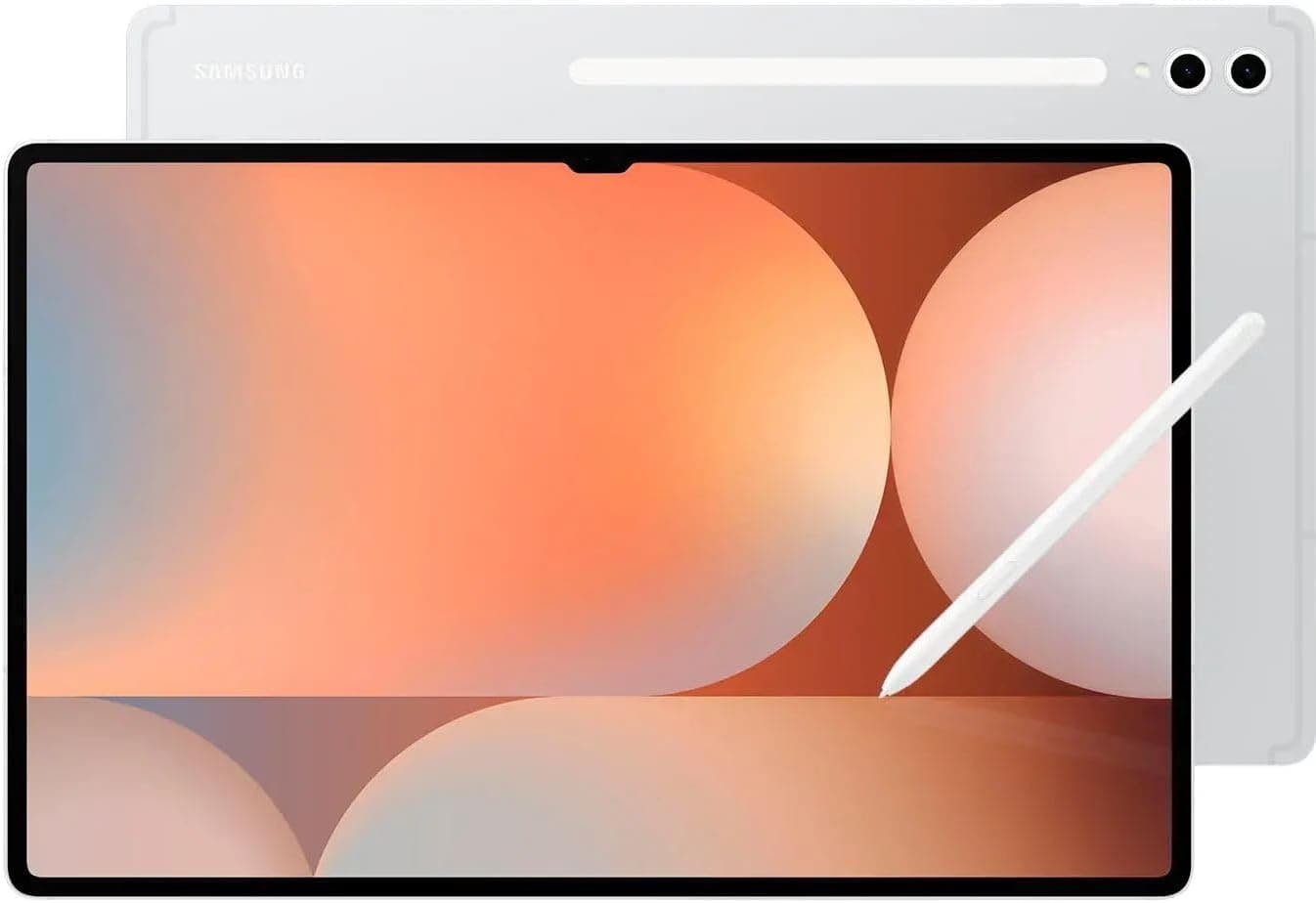
The Yoga Tab Plus exists in a competitive space where value is paramount. The Samsung Galaxy Tab S10 FE+ is probably its most direct rival, offering a similar large-screen experience with Samsung's excellent software support commitment. For a more premium alternative, our Samsung Galaxy Tab S11 Review covers Samsung's latest flagship tablet, while the OnePlus Pad Go 2 Review explores another strong competitor in the budget-friendly space. The FE+ has expandable storage, better battery life, and longer update support, but it uses a less powerful processor and doesn't include a keyboard or stylus in the box.
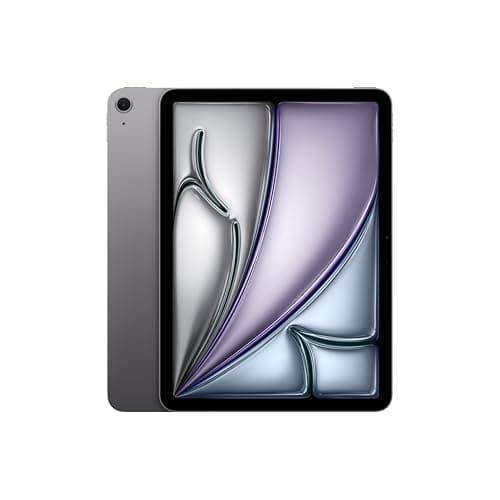
Apple's iPad Air — now in its M4 iteration — is the premium alternative. It has a better processor, superior app ecosystem, and longer support lifecycle, but it costs significantly more once you add the keyboard and Apple Pencil. The base iPad Air starts at $599, and adding the Magic Keyboard and Pencil pushes the total past $900. The Yoga Tab Plus's all-in-one package at $309.99 represents exceptional value by comparison.
The OnePlus Pad 3 offers better battery life and a slightly larger display, but it lacks the accessory ecosystem and bundled peripherals that make the Yoga Tab Plus such a compelling package. For students and professionals who need a device for note-taking, document editing, and media consumption, the Yoga Tab Plus's included accessories make it the most complete package at its price point.
Who Should Buy the Lenovo Yoga Tab Plus
The Yoga Tab Plus is a tablet built around a specific value proposition: you get a premium large-screen experience, robust performance, an exceptional audio system, and all the accessories you need to be productive — all for a price that undercuts the competition. It's ideal for students who need a note-taking and research device, professionals who want a secondary screen for documents and presentations, and media enthusiasts who prioritize audio quality and display smoothness.
It's less suited for users who need all-day battery endurance, those who require cellular connectivity on the go, or anyone who wants to store large media libraries locally without cloud storage. The lack of expandable storage and the limited software update commitment are genuine concerns that may push some buyers toward Samsung's offerings.
At its current street price of $309.99 — a significant discount from the $769.99 MSRP — the Yoga Tab Plus offers exceptional value. The included keyboard, stylus, and kickstand mean you don't have to spend extra on accessories, and the Snapdragon 8 Gen 3 processor ensures this tablet will feel responsive for years. The audio system alone is worth the price of admission if you consume a lot of media on your tablet. Despite the battery life limitations, Lenovo has created an Android tablet that finally feels like a complete package rather than a collection of compromises.
The Lenovo Yoga Tab Plus proves that you don't need to spend iPad Air money to get a genuinely premium tablet experience. It's not perfect, but it gets more right than wrong, and at this price, it's one of the easiest Android tablet recommendations I can make.
One area where the Yoga Tab Plus deserves more attention is its potential as a digital notebook for students. The combination of the large 12.7-inch display, the included Tab Pen Pro with haptic feedback, and Lenovo's note-taking software creates a compelling alternative to traditional paper notebooks. The pen's 8,192 levels of pressure sensitivity mean that handwriting feels natural, with varying line weights responding to how hard you press. The haptic feedback, which simulates the subtle resistance of pen on paper, is a thoughtful touch that reduces the disorienting feeling of writing on glass.
Apps like Nebo, OneNote, and Google Keep all work well with the pen, and the Android ecosystem offers plenty of note-taking applications to choose from. The ability to have textbooks, research articles, and notes all on one device, searchable and organized, is genuinely transformative for academic work. The split-screen capability means you can have a PDF textbook on one side and your notes on the other, something that's awkward on smaller screens and impossible on paper.
For creative professionals, the Yoga Tab Plus serves as a capable sketchpad and digital canvas. Applications like Concepts and Infinite Painter take full advantage of the pen's sensitivity and the display's color accuracy. While it's not a replacement for a dedicated drawing tablet like a Wacom or an iPad Pro with Procreate, it's more than capable for concept sketching, storyboarding, and casual digital art. The lower price point makes it an attractive option for artists who want a digital sketchbook without the premium of an iPad.
The build quality also deserves additional praise for its IP53 dust and water resistance rating. While this doesn't mean you can submerge the tablet, it does provide protection against dust ingress and light water spray — enough to survive being used near a pool or caught in a light rain shower. This level of durability is uncommon in tablets at this price point and adds to the device's versatility as a device you can take anywhere without constant worry.
The keyboard typing experience warrants more discussion because it significantly affects how usable the Yoga Tab Plus is as a laptop replacement. The magnetic attachment is strong enough to hold the tablet securely in various positions, and the pogo pin connection means there's no Bluetooth pairing delay or battery anxiety. The keyboard features a full row of function keys for brightness, volume, media control, and system shortcuts. The trackpad supports multi-touch gestures including two-finger scrolling and three-finger app switching, though it's smaller than you'd find on a laptop and takes some adjustment. The keyboard is most comfortable on a desk or table; using it on your lap is possible but less stable due to the tablet's weight distribution with the kickstand.
Lenovo's commitment to three OS upgrades means the Yoga Tab Plus will receive Android updates through at least Android 17, and security patches through 2029. While this doesn't match Samsung's seven-year commitment, it's a reasonable support window for a tablet at this price. The update experience on Lenovo tablets has historically been slower than competitors, with updates arriving several months after they hit Pixel or Samsung devices, but security patches arrive more regularly. The Android 15 update, which brings improved multitasking, better tablet-specific UI refinements, and enhanced privacy features, is already available for the Yoga Tab Plus, which bodes well for future update timeliness.
The Yoga Tab Plus occupies a fascinating position in the tablet landscape. It's not the most powerful Android tablet you can buy — that title belongs to the Galaxy Tab S11 Ultra. It doesn't have the best display — the iPad Pro's tandem OLED panel is in a league of its own. And it doesn't offer the longest battery life or the most generous software support. What it does offer is an unusually complete package: a large, beautiful display with a smooth 144Hz refresh rate, performance that handles any task you throw at it, audio quality that puts most laptops to shame, and all the accessories you need to be productive — all included in the box at a price that undercuts the competition by hundreds of dollars.
For the student heading to college who needs a device for note-taking, research, and entertainment, the Yoga Tab Plus is arguably the best value proposition in the tablet market today. Those considering a more traditional laptop experience might want to check our Galaxy Book6 Ultra Review for a powerful ultrabook alternative. For the professional who wants a secondary device for meetings, document review, and media consumption, it's a compelling alternative to lugging a laptop everywhere. And for anyone who simply wants a large-screen tablet with outstanding audio for enjoying movies, music, and games, the Yoga Tab Plus delivers an experience that rivals devices costing twice as much.
The compromises — limited battery life, no expandable storage, no cellular option, and modest software support — are real and worth considering. But they need to be weighed against the complete package Lenovo delivers at this price. In a market where every tablet requires you to choose between features at different price points, the Yoga Tab Plus stands out by including nearly everything you need in one box and one purchase. That completeness, combined with genuine strengths in display, audio, and performance, makes it one of the most sensible Android tablet purchases you can make in 2026.
You can purchase the Lenovo Yoga Tab Plus directly from Amazon at https://www.amazon.com/dp/B0DXCTVVL3?tag=newgearhub-20.
Pros
- Gorgeous 12.7-inch 144Hz display with excellent color accuracy
- Exceptional six-speaker Harman Kardon audio system
- Included keyboard, stylus, and kickstand in the box
- Snapdragon 8 Gen 3 delivers flagship-level performance
- 16GB of RAM ensures smooth multitasking
Cons
- Battery life falls short at around 6 hours of video playback
- No microSD card slot for storage expansion
- Only 3 OS upgrades and 4 years of security patches
- No 5G or LTE cellular option available
Final Verdict
The Lenovo Yoga Tab Plus delivers exceptional value with its 12.7-inch 144Hz display, Snapdragon 8 Gen 3 processor, incredible six-speaker audio system, and included keyboard, stylus, and kickstand — all at a price that undercuts the iPad Air by hundreds of dollars.